Vigor300B Series User’s Guide
43
H
H
o
o
w
w
t
t
o
o
a
a
d
d
d
d
a
a
P
P
o
o
o
o
l
l
p
p
r
r
o
o
f
f
i
i
l
l
e
e
f
f
o
o
r
r
F
F
a
a
i
i
l
l
o
o
v
v
e
e
r
r
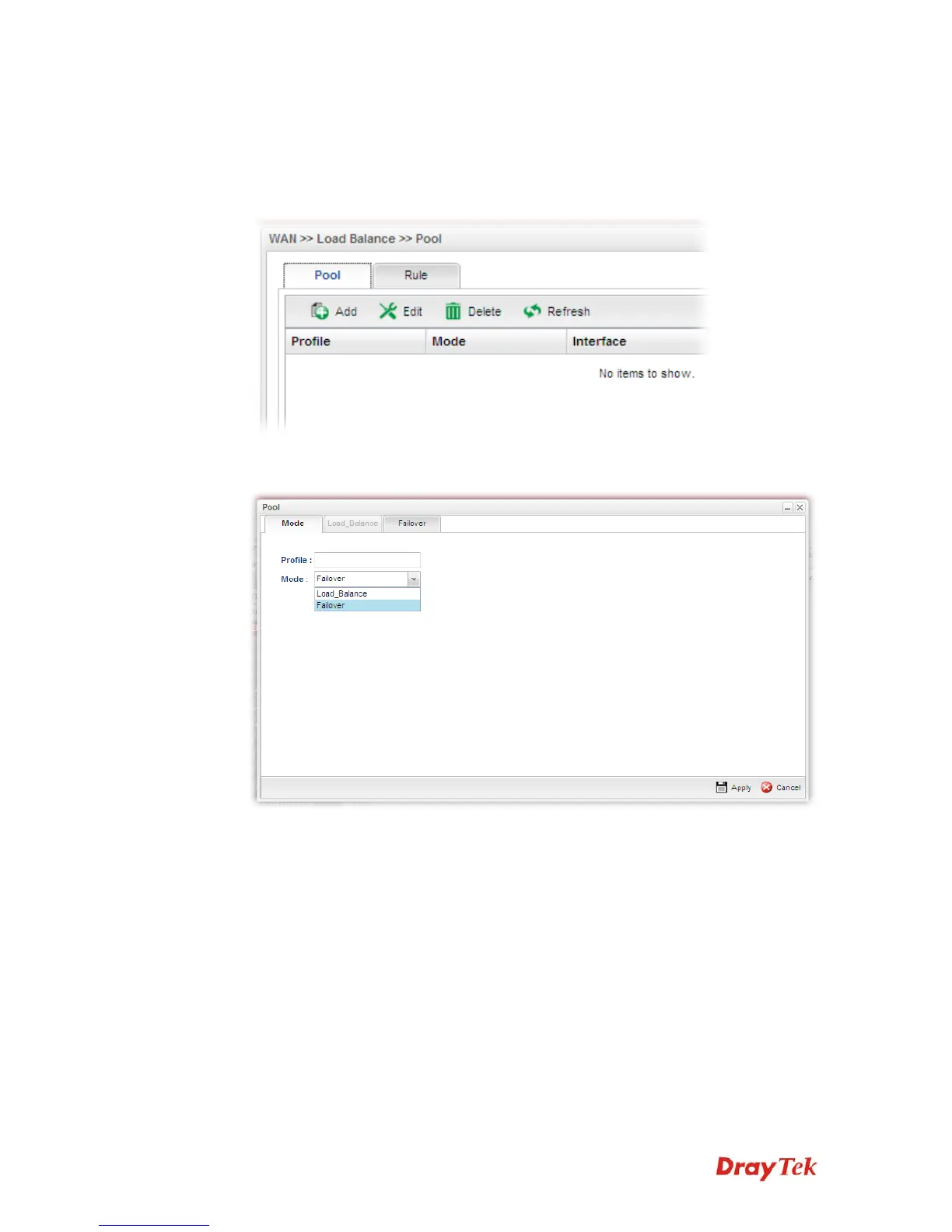
Such page allows you to set a backup profile which will be activated when the primary
profile is invalid by any reason.
1. Open WAN>>Load Balance and click the tab of Pool.
2. Simply click the Add button to open the following dialog. Type a name for such profile
(e.g., FL_1). Choose Failover as the Mode selection.



 To Next Page