VigorAP 700 User’s Guide
49
2-10-3 DHCP Server
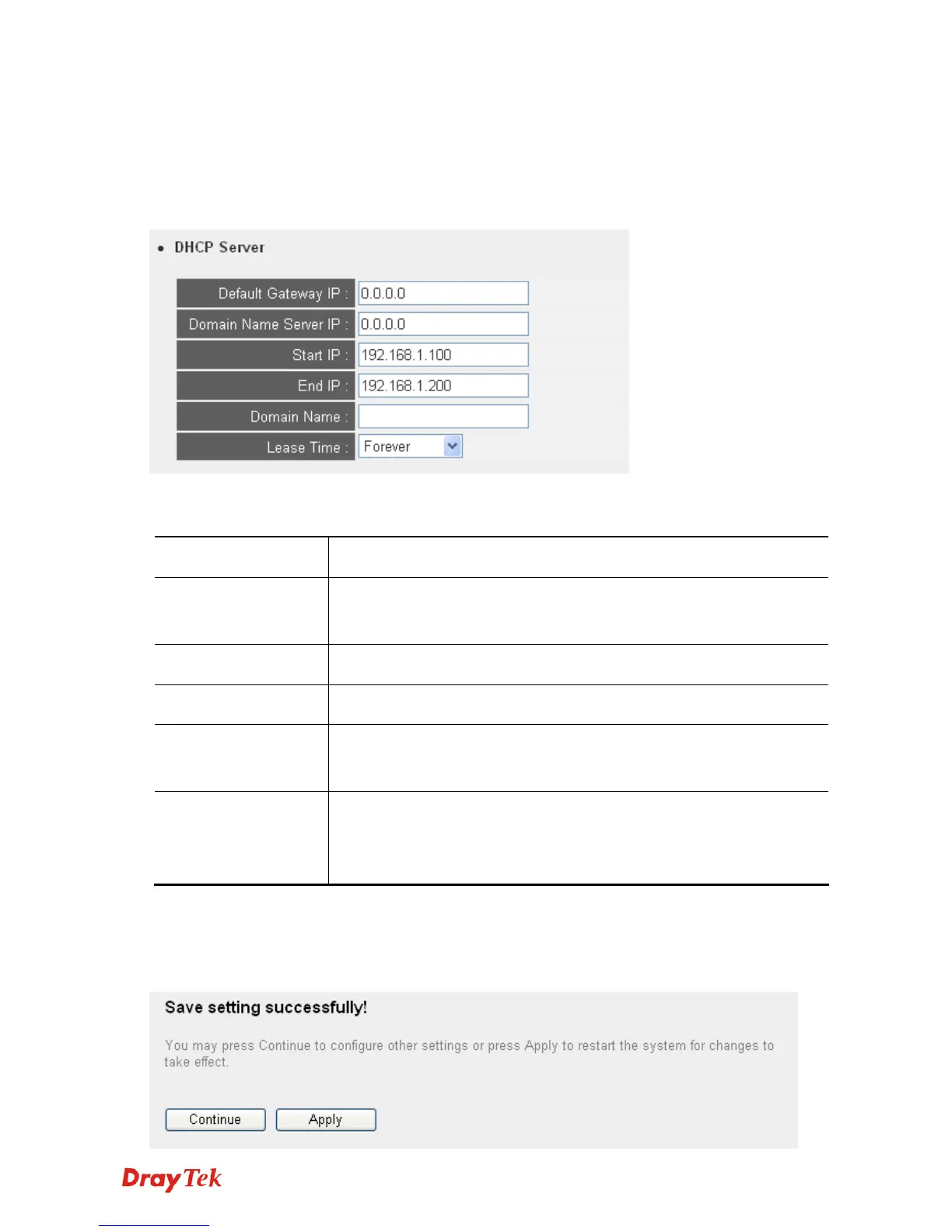
This VigorAP 700 is capable to act as a DHCP server for your network. It is disabled by default.
If you want to activate this function, please click System Utility on the left, and the following
screen will be displayed:
Here are descriptions of every setup item:
Default Gateway IP Please input the IP address of default gateway of your network here.
Domain Name Server
IP
Please input the IP address of domain name server (DNS) here.
Start IP Please input the start IP address of the IP range.
End IP Please input the end IP address of the IP range.
Domain Name If you wish, you can also optionally input the domain name for your
network. This is optional.
Lease Time Please choose a lease time (the duration that every computer can
keep a specific IP address) of every IP address assigned by this
access point from dropdown menu.
After you finish, please click Apply, and the following screen will be displayed:












 To Next Page