18
LT-2334
SERVICING AND COMPONENT REPLACEMENT
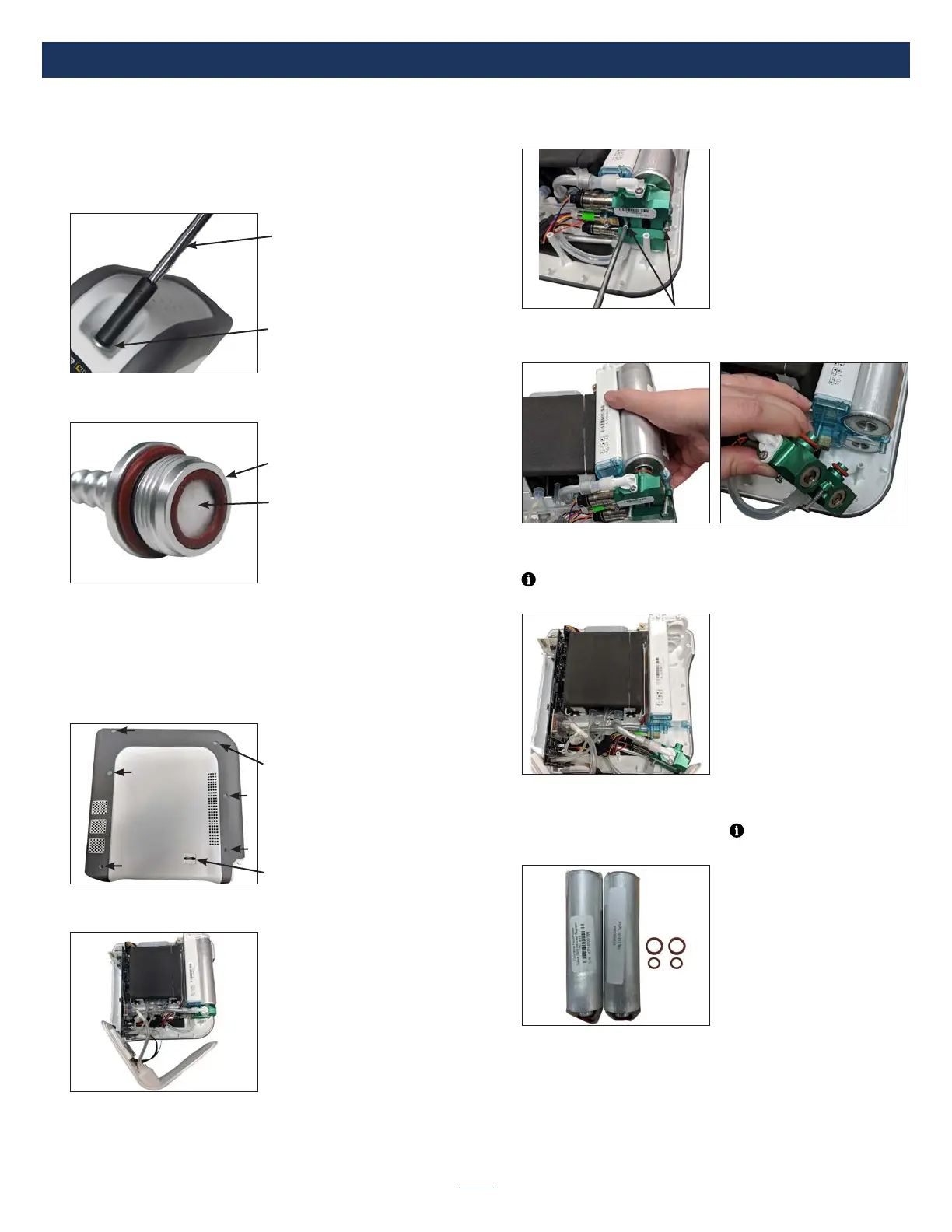
Oxygen Outlet Port and Final Bacteria Filter
To remove and replace oxygen outlet port and nal bacteria lter:
1. Ensure that all power is removed from the unit including battery.
2. Using a 5/16” hollow core socket unscrew the oxygen outlet port by
turning counterclockwise and remove it from the unit.
5/16” Socket
Oxygen Outlet Port
3. Install the new outlet port with nal bacteria lter by turning clockwise
(torque to 9-10 in-lbs).
Final Bacteria Filter
Oxygen Outlet Port
Sieve Beds
To remove and replace sieve beds:
1. Ensure that all power is removed from the unit including battery.
2. Lay the unit on its side with the USB port facing upward.
3. Using a T-10 torx screwdriver, remove all 6 screws from the side case
and remove the case cover from unit.
Case Screws (6)
USB Port
4. Carefully lift the front display cover plate up and out of case. Place it
beside unit.
5. Using a T-10 torx screwdriver, loosen the 2 screws at the top of the
valve manifold of the sieve bed module.
6. Lift sieve bed module up several inches out of the retaining catches
and remove the valve manifold from the top of the sieve beds.
7. Remove and discard the original sieve beds and all four rubber O-Rings
located at the top and bottom of each sieve bed.
NOTE– The O-Rings may remain on the valve manifold or in the
recesses of the accumulator tank.
8. Uncap two new sieve beds and seat the bottom O-Rings (larger
O-Rings) on the bottom of each sieve bed, and the top O-Rings on the
aluminum manifold (smaller O-Rings).
NOTE– 4 O-Rings are
included with each sieve bed package.



 To Next Page