13
CPR Function
When there is an emergency requirement to perform CPR on the patient, pull the CPR strap at the head
section of the mattress to release the air quickly from the mattress.
Pressure Range Selection (+/-)
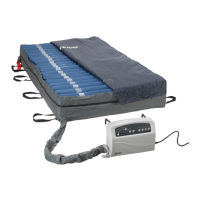
Users can adjust the pressure level of the air mattress, using the (+) and (-) buttons, to a desired rmness
based on personal comfort or weight setting.
Note
It is recommended to press Auto Firm on the panel when the mattress is rst inated. Users can then
easily adjust the air mattress to a desired rmness according to the patient’s weight and comfort.
Low Pressure Indicator
When the air pressure in the system falls below the selected pressure range, a low pressure condition will
signal the low pressure indicator. Check if the connections are secure and correctly installed according to
the relevant instructions.
Note
If the pressure is consistently low, open the zipper and conrm that all the hoses are properly connected.
Then check for any noticeable leakage in any of the tubes. If necessary, contact your local dealer to
replace any damaged tubes or hoses.
PATIENT POSITIONING AND COMFORT
General Repositioning
Patients should be turned or repositioned based on their individually planned treatment schedule or per
facility policy. Support surfaces are not substitutes for turning/repositioning or functional weight shifts.
Hand Check Procedure:
A suitable way to verify that the patient is not bottoming out is to perform a hand check as described below:
1) Ensure that the patient is lying supine (on his/her back) in the middle of the mattress.
2) Place a hand with four (4) ngers stacked vertically beneath the air cell directly underneath the sacral region.
3) Ensure that the 4 ngers can slide with minimal resistance between the patients’ sacral region and the
lower portion of the mattress.
4) Adjust the comfort setting as needs.
5) Wait for the mattress to adjust to the selected range.
6) Revaluate with the hand check and adjust to patients’ comfort level.
OPERATION



 To Next Page