12
Note
Always read the operating instructions in this manual before use.
General
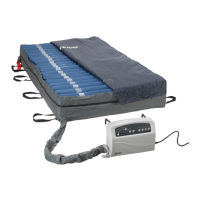
This product is designed to provide pressure redistribution while maximizing comfort to patients. Please
be sure to operate this equipment as instructed to optimize its value. Please be sure to follow the
instructions corresponding to the control unit being used.
Note
Please follow instructions below for detailed operating procedure of each type.
Operation Using The 14030XP (Digital Control Unit)
Step 1 Turn on the power switch located on the side of the control unit. Next press the power
button on the front of the control power. A beep will sound to alert that the system is on.
Step 2 The control unit will automatically default to a static mode of therapy and begin inating
to reach 15 mmHg. It may take up to 40 minutes to reach full ination. If full ination is not
reached within 40 minutes, the low pressure information signal will illuminate.
Press the Mute button to mute the information signal. The information signal LED will
continue ashing. Press the Mute button again to re-enable the audible information signal.
Step 3 Press the Auto Firm button to automatically inate the mattress to the maximum level
(70 mmHg) for about 30 minutes. The pressure will return to a previously set level after
30 minutes.
Step 4 Once fully inated, the control unit will switch into alternating therapy mode at the default
setting of 15 min and 20mmHg. Select desired settings from the touch panel to adjust the
cycle time and pressure level to the patients’ specic requirements.
Note
Press the Autorm mode button from the touch panel to provide a rm surface that makes it easier for the patient
to transfer or reposition. The system will revert back to the previously selected therapy mode after 30 minutes.
Note
During normal operation, the unit will monitor pressure. If the mattress pressure is lower than the set
pressure, the pump will automatically inate the mattress to readjust to the set level. The alarm will beep
and its LED will come on to alert a low pressure condition.
Press the Mute button to mute the information signal. The information signal LED will continue ashing.
Press the Mute button again to re-enable the audible information signal.
Note
For suitable pressure, please refer to page 14 for the hand check procedure.
OPERATION



 To Next Page