9
PRODUCT FUNCTION
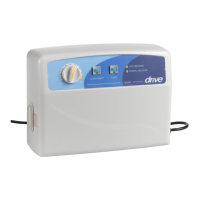
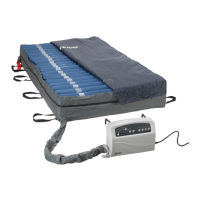
Control Unit 14030XP
Power switch is located on the side of the control unit. Use the power switch to turn the system off and on.
Cycle Time (1)
• The cycle time can be selected from the panel to choose the appropriate cycle time of the
ination modes.
• The cycle time value options are: 15, 20, 25, or 30 minutes.
Weight Settings (2)
• Weight settings range from ≤250-1,000 lbs and can be used to adjust the pressure of the
inated cells based on the patient’s weight and comfort level.
Mute Button (3)
• The audible/visible information signal turns on when low pressure, power failure or system
failure occur.
• To mute the audible information signal, press the Mute button. The visible information signal
indicator will continue ashing until the issue is resolved.
• Re-press the Mute button to reactivate the information signal.
Alternate Mode (4)
• Press to set the system to alternation therapy mode.
Static Mode (4)
• Press to set the system to static therapy mode. The system will revert to the previously
set alternation mode after 120 minutes.
Auto Firm (5)
• Press to set the air mattress to quick ination mode, which facilitates nursing and caring.
The system will revert to the previously set therapy mode after 30 minutes.
SeatInate(6)
• Press to set the air mattress to seat (fowler) mode. The pressure value will increase by
5mmHg to facilitate more comfortable seating.



 To Next Page