14
Recommended Linen:
Drive DeVilbiss Healthcare bed support surfaces are designed to be used with appropriate linens. Deep
pocketed tted or at sheets are recommended. Multiple layering of linens or underpads beneath the
patient should be avoided, when possible, for the prevention and treatment of pressure injuries.
Incontinence
Moisture against the skin surface is an extrinsic risk factor for acquiring a pressure injury as it weakens
the skin tissue leading to maceration. To protect skin integrity, incontinence barrier pads may be used to
absorb excess moisture.
Warning
Specialty active and reactive support surfaces are designed to redistribute pressure and reduce shearing/
friction forces against the patients’skin. Patient migration is possible due to the nature of these products.
Always ensure the patient is positioned properly within the connes of the bed and specialty system.
Note
It is important to follow these procedures before using the system or between patient use.
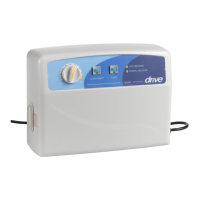
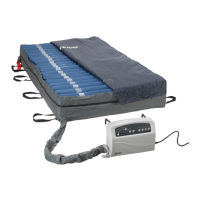
Control Unit (14030XP)
Caution
DO NOT immerse or soak the control unit in any water or uids.
DO NOT spray any cleaning solution directly on the surface of the control unit.
DO NOT use a Phenolic based cleaning solution as this may cause damage to the case.
1) UNPLUG the control unit from its power source prior to cleaning.
2) Check for external damage and move the control unit to the cleaning area.
3) Place the control unit on a work surface and wipe the outside of the case with a clean cloth to remove
any dust or particles. Make sure all areas are clean (top and bottom, both sides).
4) Spray cloth with cleaning solution and clean faceplate and control unit casing. DO NOT allow excess
cleaning solution on faceplate or control panel. (If solution gets inside, damage will occur.)
a. quaternary ammonium solution may be used.
5) After the control unit is thoroughly cleaned and dried, proceed to plug in the control unit and test for normal
functioning.
6) Unplug the control unit and store with proper identication tag until needed for use.
7) Avoid long exposure to sunlight.
CLEANING & MAINTENANCE



 To Next Page