20/29
9. SETUP PROGRAMMING
The following section explains how to navigate the VIP5 setup menus and contains detailed explanation of each parameter
and possible values.
9.1 Navigating around the setup menu.
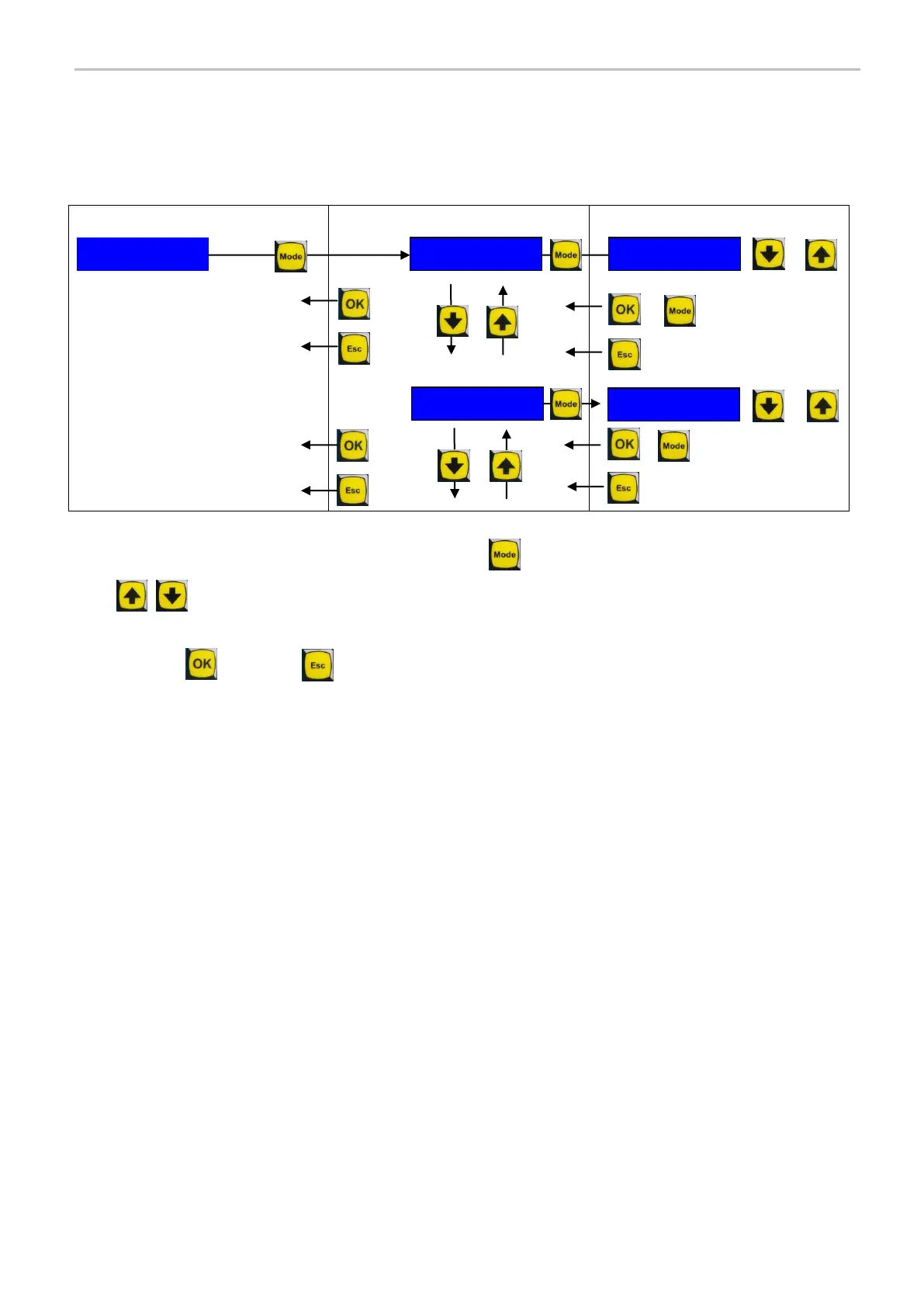
The navigation map below shows how to navigate around the setup menu.
To enter the SETUP menu from the OPERATING Mode, hold the (Mode) button for 5 seconds.
The (Up and Down) keys allow scrolling through the parameters.
By pressing the Mode button again, the indicated parameter value can be modified by using the Up and Down keys.
To exit, use the (OK) key, or (Esc) if you with to exit without saving
9.2 BASIC/ EXTENDED MENU
When turn on Vip5 Controller show a BASIC menu that allows user a quickly setup, there are only main parameters to
manage a lubrication cycle.
The "Quick start guide" section, placed early this manual, describes BASIC MENU programming mode.
The VIP5 Controller can operate or in stand-alone mode ( default) or inserted in a system of overall control which can
receive timing signals for starting and stopping of lubrication. VIP5 can also operate in exclusive monitoring lubrication
mode.
The Extended Menu allows to set all parameters that guarantee the total control of the system.
To see the complete list of extended parameters, see section 9.3.
MODE -Cycle-
SET - - NEXT
LUBE Type SEP
SET BACK NEXT
+



 To Next Page