6/29
STEP 7A
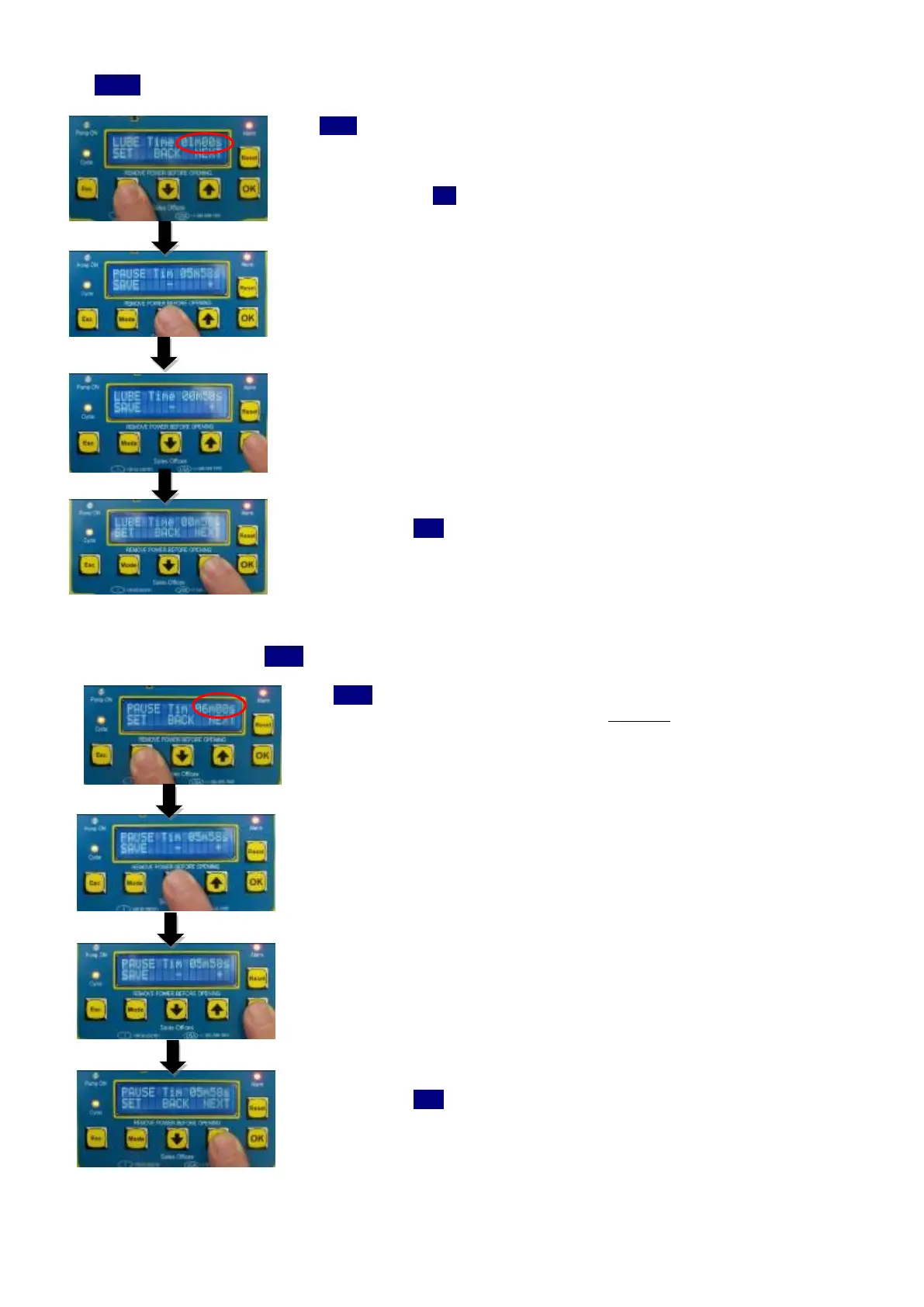
If TIMER mode is selected – Set the lube cycle timer value
If
TIMER
mode is selected, you must determine for how long the pump must run
during each lubrication cycle. For other operation modes, the run time of the pump
is automatically determined by the end of cycle monitoring switch.
Press MODE key to
SET cycle time
Select UP and DOWN arrows to set the value
Press OK key to save the value
Press UP arrow (
NEXT
function) to move onto the next parameter.
STEP 8
Set the pause time value (
PAUSE
timer)
The
PAUSE
timer is used to set how often the VIP5 will active the pump and run a
lubrication cycle. By default, this is set to every 6 minutes
To change the setting, press MODE key
Then use UP and DOWN arrows to change value.
Once, you have selected your pause time, press OK key to save and return to the
parameter Menu
Press UP arrow (
NEXT
) to move onto the next parameter.



 To Next Page