DRT-MAN-093
49/74
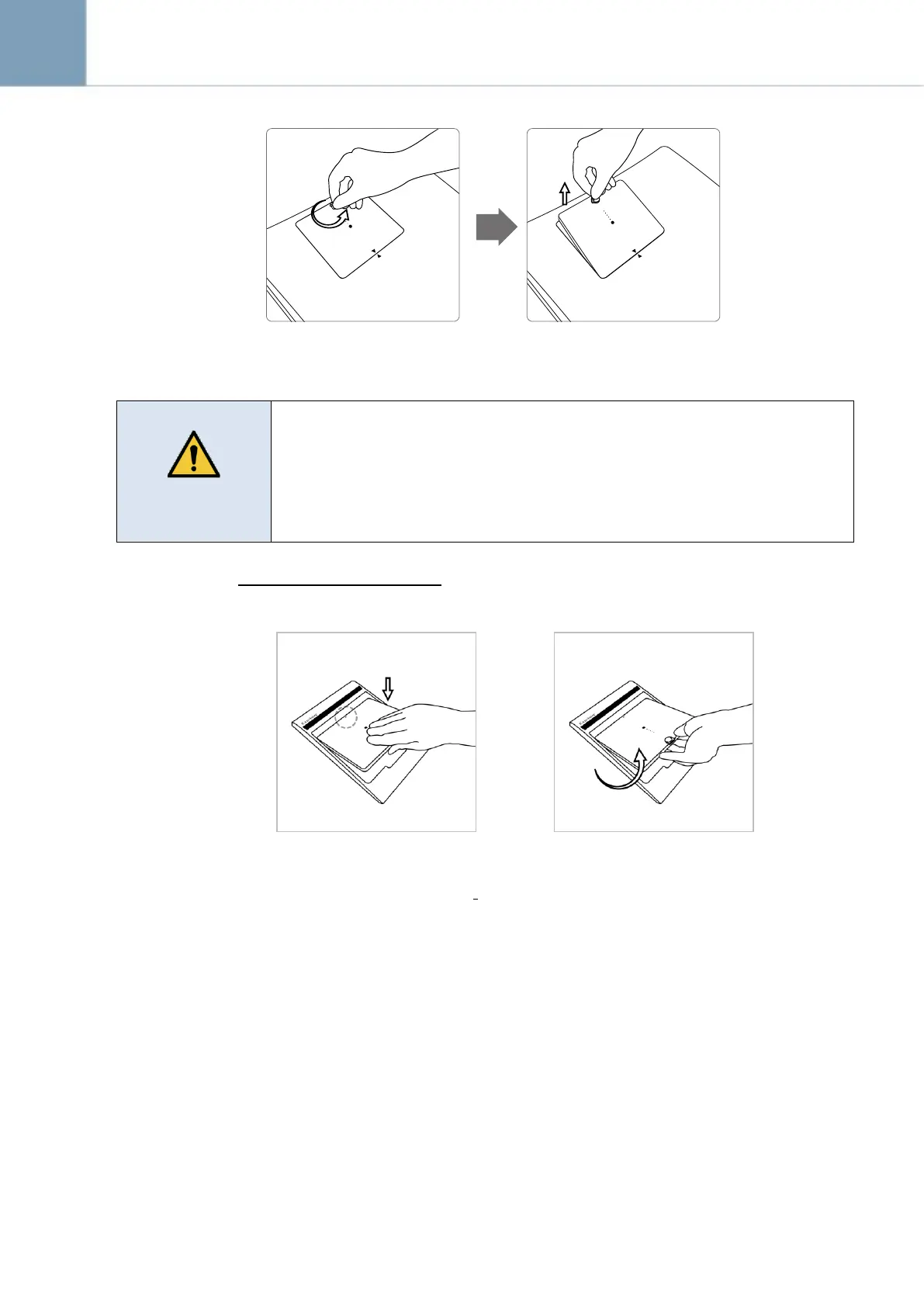
1) Turn the battery lock knob 90 degrees counter-clockwise.
2) Pull up the battery pack grabbing the knob.
Make sure to turn off the detector before detaching a battery pack. Press and
hold the power button for about 2 seconds. All status LED lamps will be
turned off when the detector is turned off.
Securely attach the battery into the detector or charger. If contact failure
occurs, or if dust or metal objects come into contact with the exposed
connector pins of the detector or charger, fire or electrical shock may occur.
How to Charge Battery Packs
Horizontal Direction (Attachment)
Horizontal Direction (Detachment)
Align the arrows on the charger
and battery pack.
Push down the battery pack.
Put the finger into the groove on
the charger and grab the battery
pack.
Pull out the battery pack.



 To Next Page