Drucker Diagnostics – Customer Service: +1-814-692-7661 – CustomerService@DruckerDiagnostics.com | Page 6
MODIFYING A PRESET
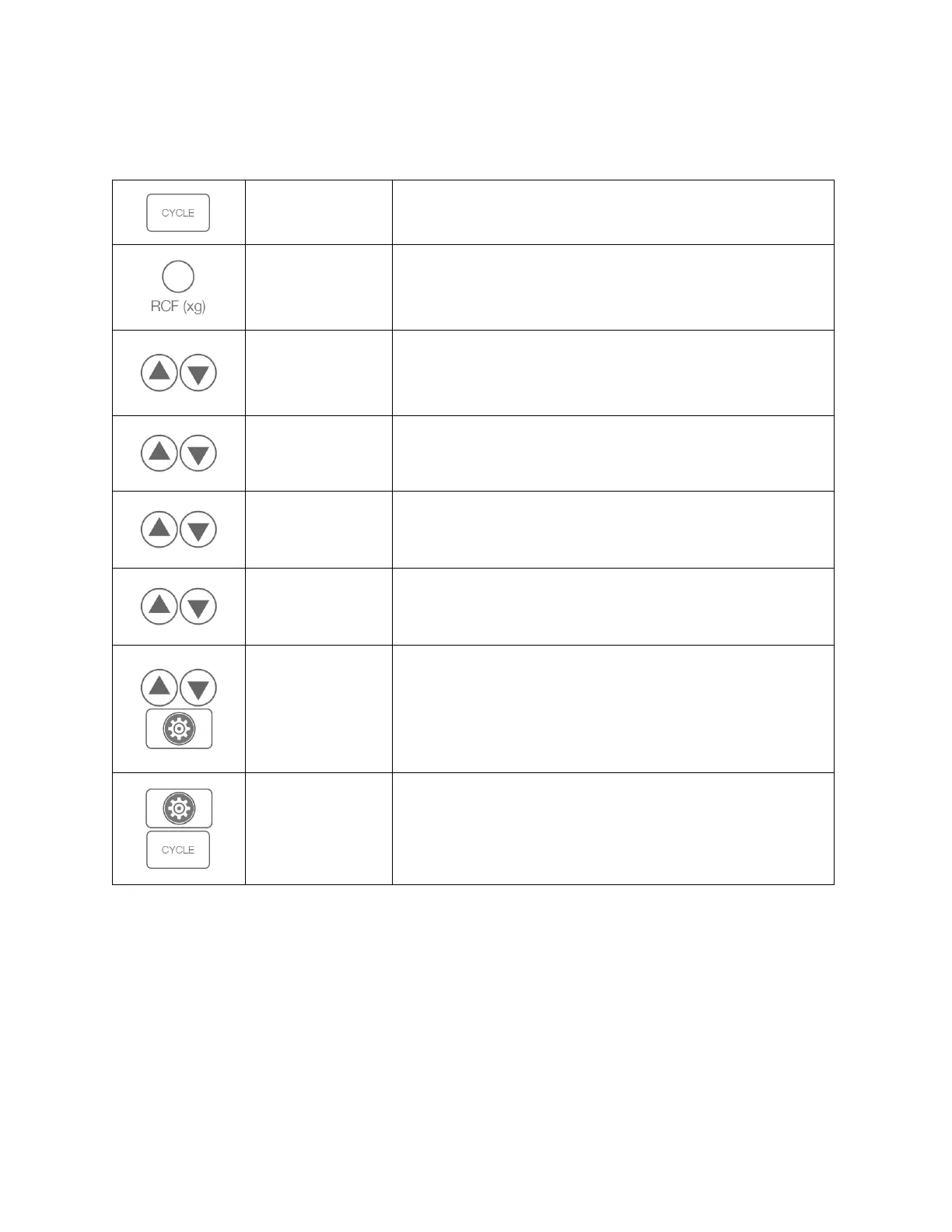
Save up to 10 custom cycles. The top screen alternates between cycle name and speed.
With desired cycle selected, access the menu.
Setting by G-Force
(Recommended)
Press and hold the RCF (xg) button while changing the setting,
using the UP and DOWN buttons next to the display. The RPM will
automatically adjust.
Setting Speed
(Alternate)
To change the speed (RPM), use the UP and DOWN buttons next to
the display. The g-force will adjust automatically and can be
verified by pressing the RCF button.
Press the UP and DOWN buttons next to the TIME display.
While in the advanced menu, navigate to “Brake”. Use the UP and
DOWN buttons next to the TIME screen to turn brake on and off.
While in the advanced menu, navigate to “Beeper”. Switch ON or
OFF with the UP and DOWN buttons next to the TIME display. This
setting will apply to all cycles.
While in the advanced menu, navigate to the cycle name with the
UP and DOWN arrows. Press the START button. The * indicates the
space selected. Use the UP and DOWN buttons to change
characters, then move to the next space with the right arrow >.
Press the GEAR button to return to the main programming menu.
Save and Exit
Settings Mode
Press the GEAR button, followed by the CYCLE button to exit the
menu.


 To Next Page