Drucker Diagnostics – Customer Service: +1-814-692-7661 – CustomerService@DruckerDiagnostics.com | Page 12
Cycle parameters cannot be changed
o
If cycle selection is locked on one cycle, press the UNLOCK
button for 5 seconds. Then, press the GEAR button and follow
the instructions elsewhere in this manual.
o
If different saved cycles can be selected but not modified, the
centrifuge is in Preset Lock mode. Press the UNLOCK button for
5 seconds until two beeps are heard, then again until the next
two beeps. You should now be able to change cycle parameters.
The centrifuge does not unlock after a
run is completed
o
Wait until the rotor has come to a complete stop. If the lid knob
still cannot be rotated, press the UNLOCK button and try again.
o
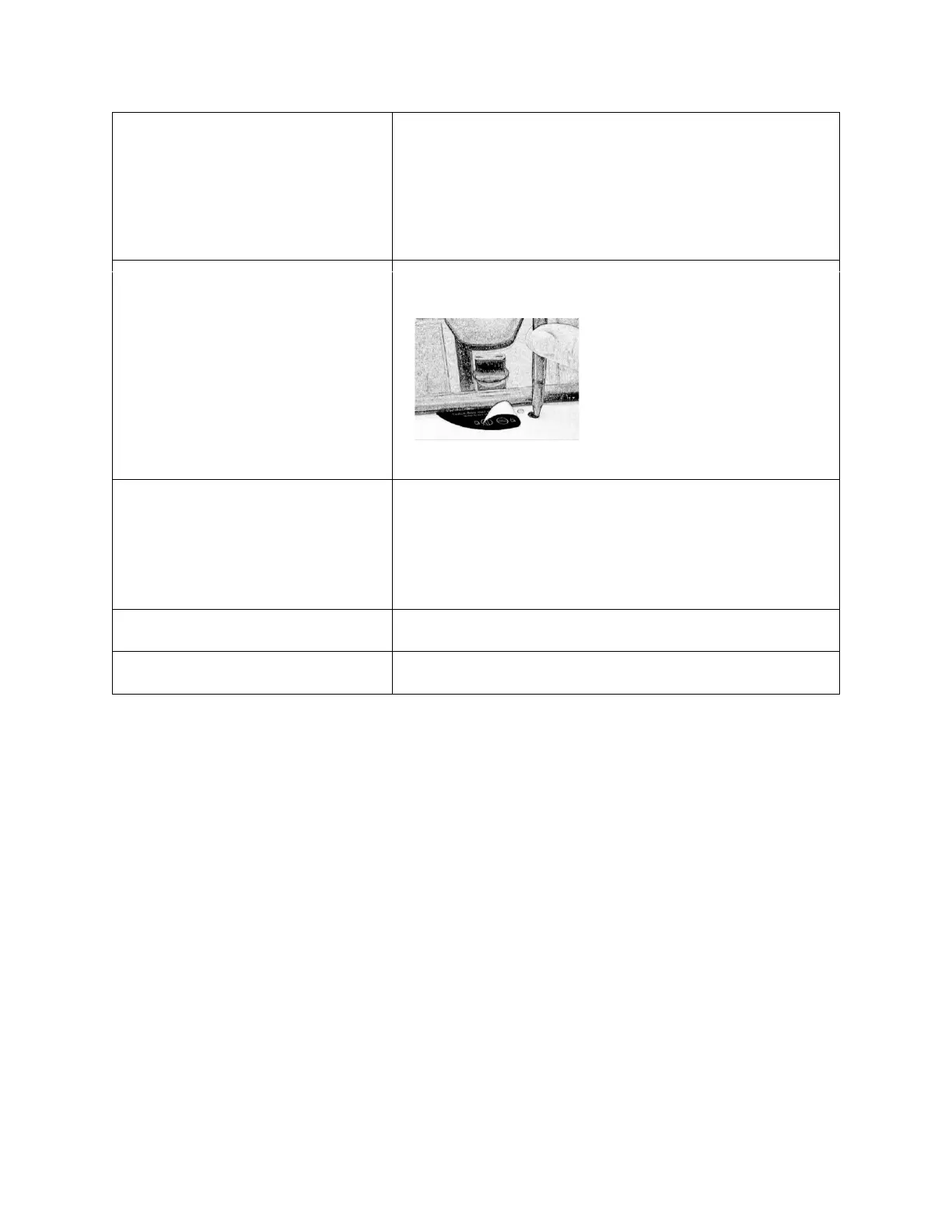
If no LED light is on, the unit is
not powered and the lid will not
unlock by conventional means.
Remove the latch label and use a pen
to manually disengage the locking
mechanism. Pull the mechanism
towards the control panel and then
unlatch and open the lid.
o
If the unit is damaged, contact Customer Service for assistance.
o
Ensure that the lid knob is turned fully counterclockwise.
o
If the knob cannot be turned counterclockwise, turn it fully
clockwise, press UNLOCK, and turn counterclockwise.
o
If the lid remains locked after this and will not unlock, the
electronics may have been damaged. Contact customer service
for assistance.
Clicking noise during braking gets loud
o
Make sure that the screw in the center of the rotor is tight.
o
Tighten the center screw on the lid hinge.


 To Next Page