16
HSPA(3G) Alarm Communicator Installation Manual
Receiver Not Available (7 Flashes)
This trouble is indicated if the unit is not able to successfully initialize with any of the pro-
grammed receivers. Unprogrammed receivers are excluded. This trouble is also indicated if the
cellular receiver APNs have not been programmed in sections [205] and [215].
Receiver Supervision Trouble (8 Flashes)
This trouble is indicated when receiver supervision is enabled and communication between the
communicator module and the receiver fails. Trouble is indicated if Ethernet 1 and/or cellular 1 is
supervised and does not receive a heartbeat from the receiver or if cellular is supervised and the
unit does not receive an acknowledgment to 4 heartbeats sent to the receiver.
FTC Trouble (9 Flashes)
This trouble is indicated when the unit fails to communicate module events to the central station.
Trouble is displayed after the unit has exhausted all communications attempts to all programmed
receivers for events generated by the communicator.
Module Configuration Trouble (12 Flashes)
This trouble is indicated when the system account code or the receiver account have not been pro-
grammed. Disabled receivers are excluded.
Red Network Connection Status LED
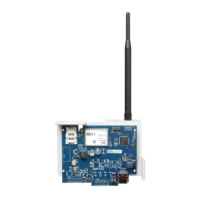
TL2603G
BLINKING: Indicates communications in progress.
• Once quickly for outgoing Ethernet transmission.
• Twice quickly to indicate incoming Ethernet ACK/NACK.
OFF: This is the normal state of the red network connection status LED. There are no network
connection issues present.
ON: There is a problem with the Ethernet or the cellular network connection. LED will be ON if
any of the following occur:
• Ethernet cable is not connected,
• DHCP configuration times out,
• Unit fails to get an IP address from the cellular network, or
• Cellular connection has been reset.
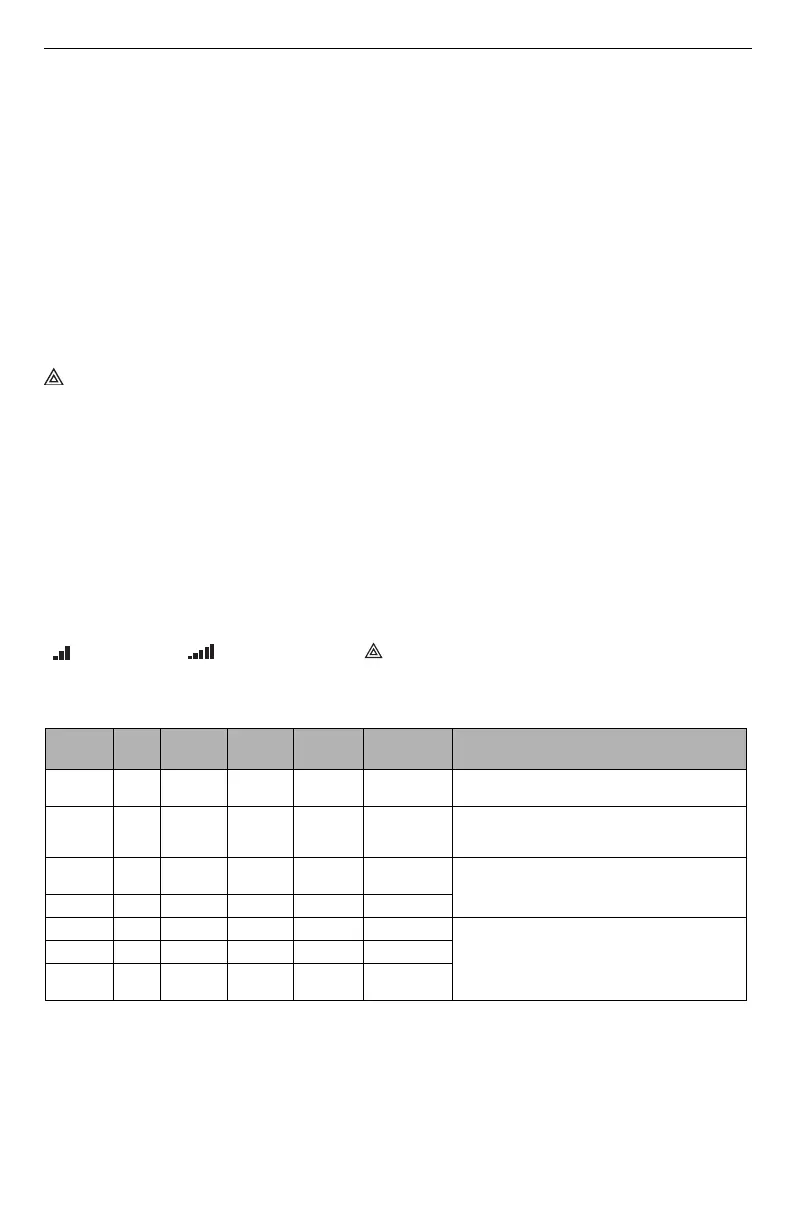
(Green LED 1) (Green LED 2) and (Yellow LED) Signal Strength
NOTE: If the yellow LED is flashing, signal strength in table below is not valid.
See Tabl e 8 for troubleshooting flashing yellow LED.
NOTE: The communicator will indicate cellular trouble (yellow LED = 5 flashes) if the calcu-
lated average CSQ Level is 4 or less. The communicator signal strength can be viewed
remotely with C24 Communications.
Network Activity LEDs (Red and Green)TL2603G Only
• Ethernet Activity: Red LED will blink quickly once for transmit, or twice for receive.
• Cellular Activity: Green LED 2 will blink quickly once for transmit, or twice for receive.
Table 7: Radio Signal Strength
Signal
Strength
CSQ
Level
Yellow
LED
Green
Led 2
Green
LED 1
Signal
Level dBm
Action Required
Radio Not
Ready
N/A N/A
Alternate
Flashing
Alternate
Flashing
N/A
If this status persists and the yellow LED shows 5
flashes, confirm that the SIM card is active.
No Signal 0 ON OFF OFF -108.8
Check all antenna connections.
Confirm cellular service is active in area.
Relocate panel or install external antenna.
1 Bar 1 - 4
Flashing
See Note
OFF Flashing -108 ~ -103
Relocate panel or install external antenna if yellow
trouble LED has:
5 flashes.
2 Bars 5 - 6 OFF OFF Flashing -102 ~ -99
3 Bars 7 - 10 OFF OFF ON -98 ~ -91
Location is OK. Cellular signal strength is greater
than CSQ 7.
4 Bars 11-13 OFF Flashing ON -90 ~ -85
5 Bars 14 + OFF ON ON
-84 and
higher



 To Next Page