7
MGH30BT OPERATION
General Operation
Audio Setup Menu
Menu Function Options
Equalization
Curves
Use the VOL+ or VOL- buttons to cycle through the following equalization
curves: Flat, Pop, Jazz, Classic, Beat, Rock and User. Any manual adjustment to
the Bass or Treble settings are automatically saved as User.
Loudness
Use the VOL+ or VOL- buttons to activate or deactivate the Loudness feature,
which increases bass and treble levels at low volume.
Bass Level
Use the VOL+ or VOL- buttons to adjust the bass level setting
(-6 minimum / +6 maximum).
Bass Frequency
Use the VOL+ or VOL- buttons to select one of the following bass frequency
settings: 60 Hz, 80 Hz, 100 Hz or 200 Hz.
Middle Level
Use the VOL+ or VOL- buttons to adjust the middle level setting
(-6 minimum / +6 maximum).
Middle Frequency
Use the VOL+ or VOL- buttons to select one of the following middle frequency
settings: 500 Hz, 1 kHz, 1.5 kHz or 2.5 kHz.
Treble Level
Use the VOL+ or VOL- buttons to adjust the treble level setting
(-6 minimum / +6 maximum).
Treble Frequency
Use the VOL+ or VOL- buttons to select one of the following treble frequency
settings: 10 KHz, 12.5 KHz, 15 KHz or 17.5 KHz.
Balance
Use the VOL+ or VOL- buttons to adjust the balance setting.
(12-L to 12-R; 0 represents equal balance).
Fader
Use the VOL+ or VOL- buttons to adjust the fader setting.
(12-F to 12-R; 0 represents equal balance)
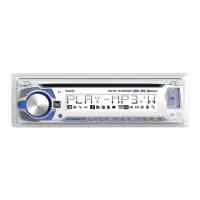
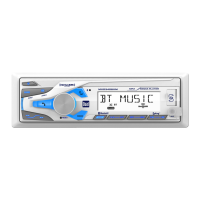
Press MENU to toggle through and select one of the
following setup menus: Audio, General, Gain and Screen.
1. Once the desired menu is displayed, use the VOL+ or
VOL- buttons to scroll through the list of menu features.
2. Press SELECT to select a specific feature to adjust, then
use the VOL+ or VOL- buttons to adjust or activate
the desired feature.
3. Press SELECT to confirm and save the changes.
Setup Menu


 To Next Page