EasyManua.ls Logo

Dual VX2529 - User Manual

Dual VX2529
30 pages
Print Icon
To Next Page IconTo Next Page
Loading...
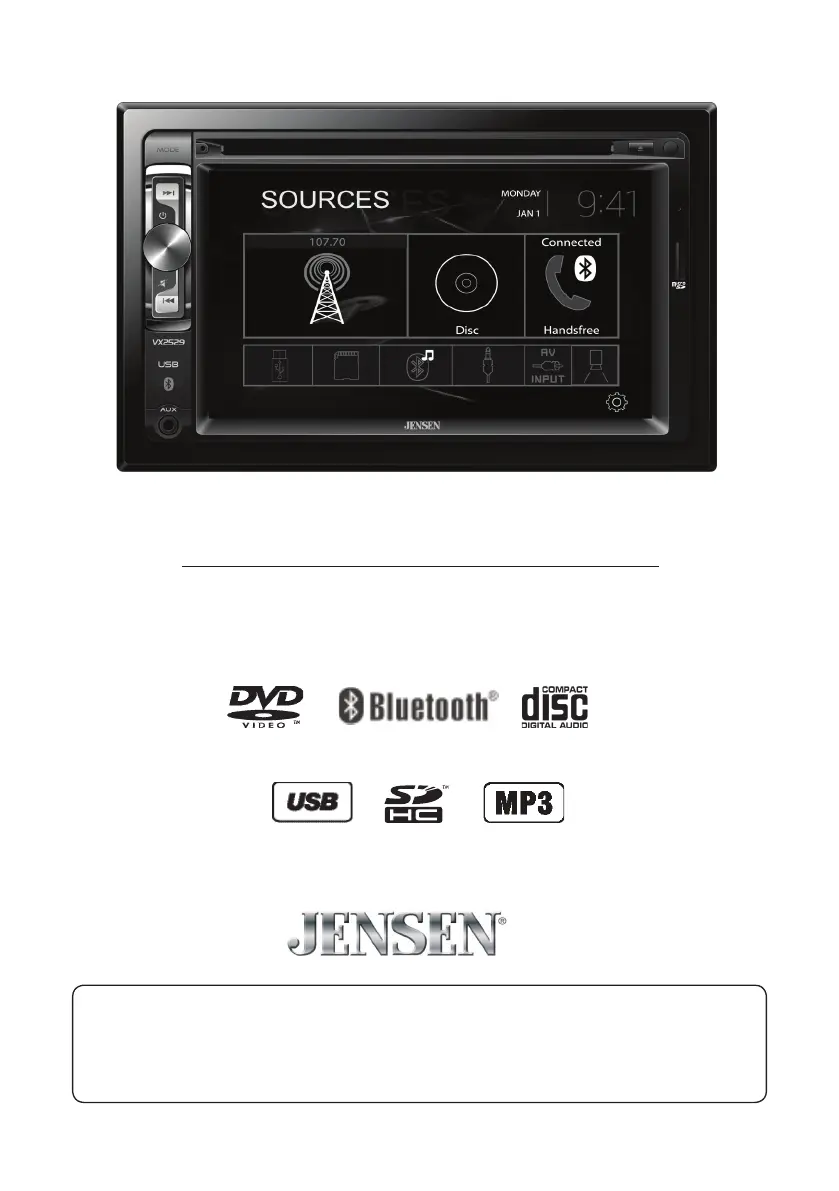
INSTALLATION/OWNER’S MANUAL
DVD Multimedia Receiver with Bluetooth
featuring a 6.2" Touch Screen Display
VX2529
The DVD video display of the in-dash unit will not operate while the vehicle is moving. This is a safety feature
to prevent driver distraction. In-dash DVD video functions will only operate when vehicle is in Park and the
parking brake is engaged. It is illegal in most states for the driver to view video while the vehicle is in motion.
Safety Notes:
®

Questions and Answers

  • A
    Amy VegaAug 15, 2025
    Why does my Dual VX2529 Receiver have power but no sound?
    • T
      Tiffany PorterAug 15, 2025
      If your Dual Receiver has power but isn't producing any sound, the issue likely lies with the speaker connections. Check the speaker wires at the speakers to ensure they are properly connected. Also, make sure that none of the bare speaker wires are touching each other or the chassis ground; insulate them if they are.
  • R
    Robert OwenAug 18, 2025
    How to fix Dual Receiver that won't turn on?
    • L
      Lisa JohnsonAug 18, 2025
      If your Dual Receiver isn't powering on, it could be due to a few reasons. First, check the yellow and red wires to ensure they are properly connected and receiving the correct voltage (11~16VDC). Next, verify the black wire is securely connected to ground. Finally, inspect the fuse and replace it if it's blown.
  • C
    Cynthia MataAug 22, 2025
    What to do if my Dual VX2529 Receiver keeps blowing fuses?
    • M
      marknguyenAug 22, 2025
      If your Dual Receiver is blowing fuses, there are a few potential causes. A yellow or red wire might be touching the chassis ground, so check for any pinched wires. Similarly, speaker wires touching the chassis ground can also cause this issue, so inspect those as well. Lastly, ensure you are using fuses with the correct rating.
  • G
    Gerald BrownAug 25, 2025
    What to do if my Dual VX2529 has audio but no video?
    • T
      Teresa Morrow PhDAug 26, 2025
      If your Dual Receiver has audio but no video, the problem may be related to the parking brake safety circuit. Check the connections at the parking brake. Ensure that the parking brake is applied.
  • J
    Jennifer GrayAug 28, 2025
    Why is there no video display when my Dual Receiver is in reverse?
    • T
      Tammie VincentAug 28, 2025
      If you're not seeing a video display on your Dual Receiver when in reverse, there are a couple of things to check. First, make sure the reverse circuit is properly connected. Also, verify that the vehicle is actually in reverse gear.
  • M
    Mr. Shaun MercadoSep 1, 2025
    How to stop excessive skipping on my Dual VX2529 Receiver?
    • M
      Mark MoranSep 1, 2025
      Excessive skipping on your Dual Receiver could be due to a couple of reasons. Make sure the unit is mounted correctly by checking the mounting sleeve. Also, inspect the media for scratches or physical defects.
  • M
    Maria BuckleySep 4, 2025
    What to do if DVD does not start playback on Dual VX2529?
    • E
      Eric RobinsonSep 4, 2025
      If your DVD isn't playing back on your Dual Receiver, check the disc for scratches or other physical defects. Also, make sure you are using discs labeled "Region 1" or "All".
  • H
    harmonjessicaSep 7, 2025
    Why is my Dual VX2529 Receiver IR remote not working?
    • B
      Barbara PooleSep 7, 2025
      If your Dual Receiver's IR remote isn't working, the first thing to check is the battery. Replace it with a new one.
  • M
    Mark WellsSep 12, 2025
    How to fix 'Disc Region Incorrect' error on Dual Receiver?
    • H
      harrisalexSep 12, 2025
      If your Dual Receiver displays a 'Disc Region Incorrect' error, it indicates a region code issue. Use discs labeled "Region 1" or "All" only.

Summary

Safety and Warnings

Safety Notes

Important safety precautions regarding the use of the in-dash unit and video display.

Warning Statement

Critical warnings about driver distraction and installation requirements to prevent accidents.

Safety Information

General safety guidelines for installation and operation to prevent damage or injury.

Installation

Preparation

Steps and considerations before starting the installation process, including battery disconnection.

Wiring Diagram

Visual guide for connecting speakers and power to the main unit via the wiring harness.

Warranty and Support

Troubleshooting

Common problems, their causes, and suggested actions for resolution.

Dual VX2529 Specifications

General IconGeneral
Tuner TechnologyDigital
BluetoothYes
USB portYes
Card reader integratedYes
EqualizerYes
Equalizer bands5
Product colorBlack
Impedance4 Ohms
Compatible memory cardsSD
Audio formats supportedMP3, WMA

Related product manuals