18
DVD Operation
VX2529 OPERATION
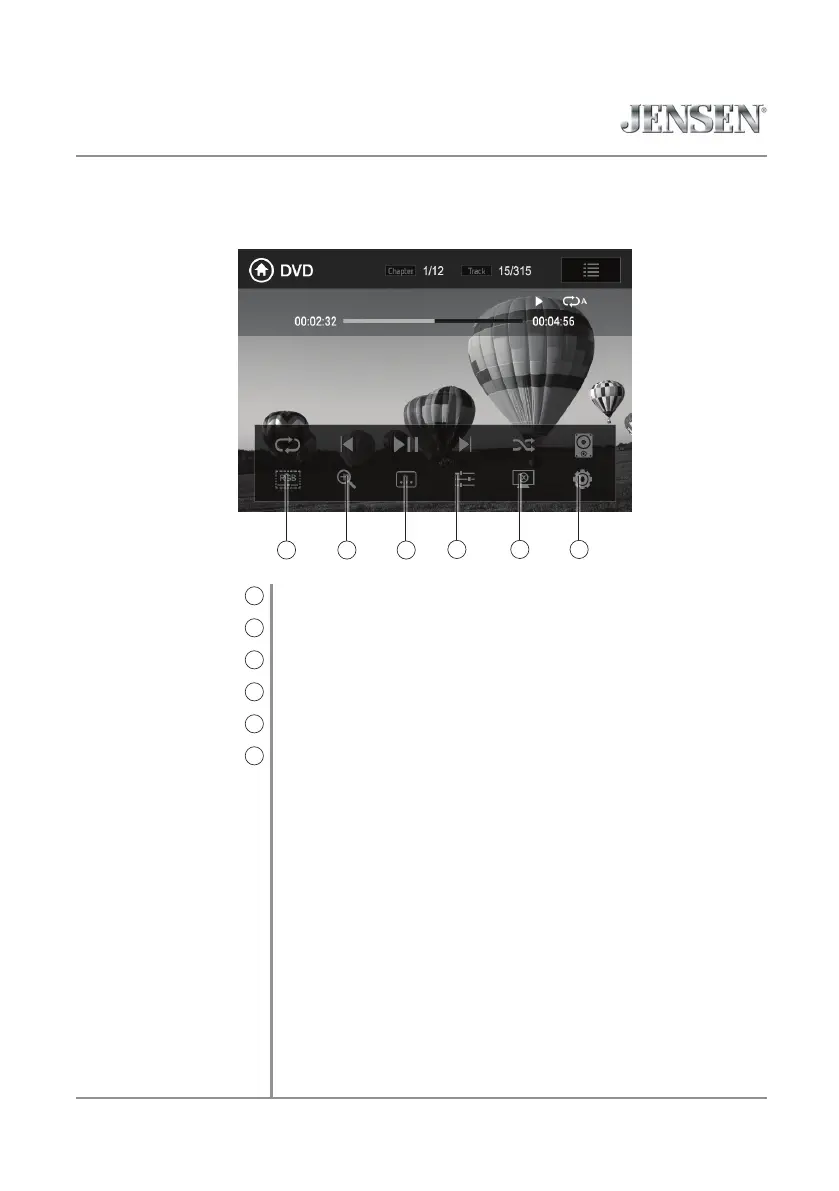
Press to adjust screen color settings.
Press to zoom in or out on an image.
Press to access subtitle options.
Press to adjust audio options.
Press to put the monitor in standby mode.
Press to directly access the setup menu.
Screen Setup
9
Zoom
10
Subtitle
11
Audio
12
Monitor On/Off
13
Settings
14
109 11
1312 14


 To Next Page