25
X2DMA400 OPERATION
TheiTunesTaggingfeatureoftheX2DMA400requirestheoptional
SiriusXMVehicleTuner(soldseparately).
iTunesTaggingallowstheuserto"Tag"songsthatareplayingon
SiriusXMSatelliteRadiochannelandenablesthemtobepurchased
laterthroughiTunes.Withthetouchofabuttontheunitwill
rememberthetitleandartistsonginformation,andthentransfer
thatinformationtoyouriPoddevicethenexttimeyouconnectit
totheX2DMA400.Anewlistcalled"Tagged"willappeariniTunes,
givingyoutheoptiontopurchaseeachsong.
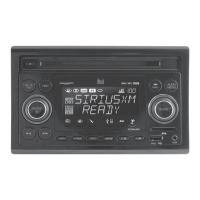
Tune to a SiriusXM channel.TheMUTE/TAGbuttonwillilluminate
red,indicatingthatavalidartistnameandsongtitleareavailable.
Press and hold the MUTE/TAG button.Aconfirmationwillbe
displayed,indicatingthatthesonginformationhasbeensaved.The
songinformationwillbesavedinmemoryuntilaniPoddeviceis
pluggedin.Upto64SiriusXMTagscanbesavedbeforetheymust
be transferred or deleted.
Transfer Tags to an iPod/iPhone.
• ConnectaniPod/iPhonedevice.Themodewillchangeto
operationofiPodandTagswillbeautomaticallytransferredto
thedevice,removingtheTagsfromtheX2DMA400'sinternal
memory.Aconfirmationmessagewillappearconfirmingthe
numberoftagssent.TheX2DMA400mustremaininoperationof
iPodmodeuntilthe"TAGSSENT"messageisdisplayed.
• IfaniPod/iPhonedeviceisconnectedwhenasongistagged,
Tagswilltransferautomaticallytothedevice.Theunitmust
remaininSiriusXMmodeuntilthe"TAGSSENT"messageis
displayed.(Seepage17forcompatibilitywithiPoddevices.)
Note:TagscanonlybesentfromSiriusXMoroperationofiPod
modes.
Sync with iTunes.Alistnamed"Tagged"willappearontheleftin
theiTunessoftware.Clickonthe"Tagged"listtoviewallthesongs
thathavebeentaggedandclickthe"view"buttonforpurchase
information.
PressandholdAUDIO/MENUtoenterthesetupmenuandselect
the"DeleteTags"option.Seepage22fordetails.
Note:Oncetransferred,TagsaremanagedfromtheiTunes
software.
Requirements
Overview
Step 1
Step 2
Step 3
Step 4
Deleting All Tags
iTunes
®
Tagging Operation
Tagging Music


 To Next Page