19 Screw
20 Seal, thk. 2
21 Pressure switch
22 Mount
Spare parts catalogue
Clutch cover
Caution
Bold reference numbers in this section identify parts shown in this exploded view diagram. These parts do not appear
in the figures near the text.
Removing the clutch cover
Operations Reference See Section
Drain engine oil D 4,
Changing the engine oil and filter
cartridge
Disconnect oil pressure sensor P 5,
Checking front and rear STOP
switches, neutral switch, oil pressure
switch and clutch switch
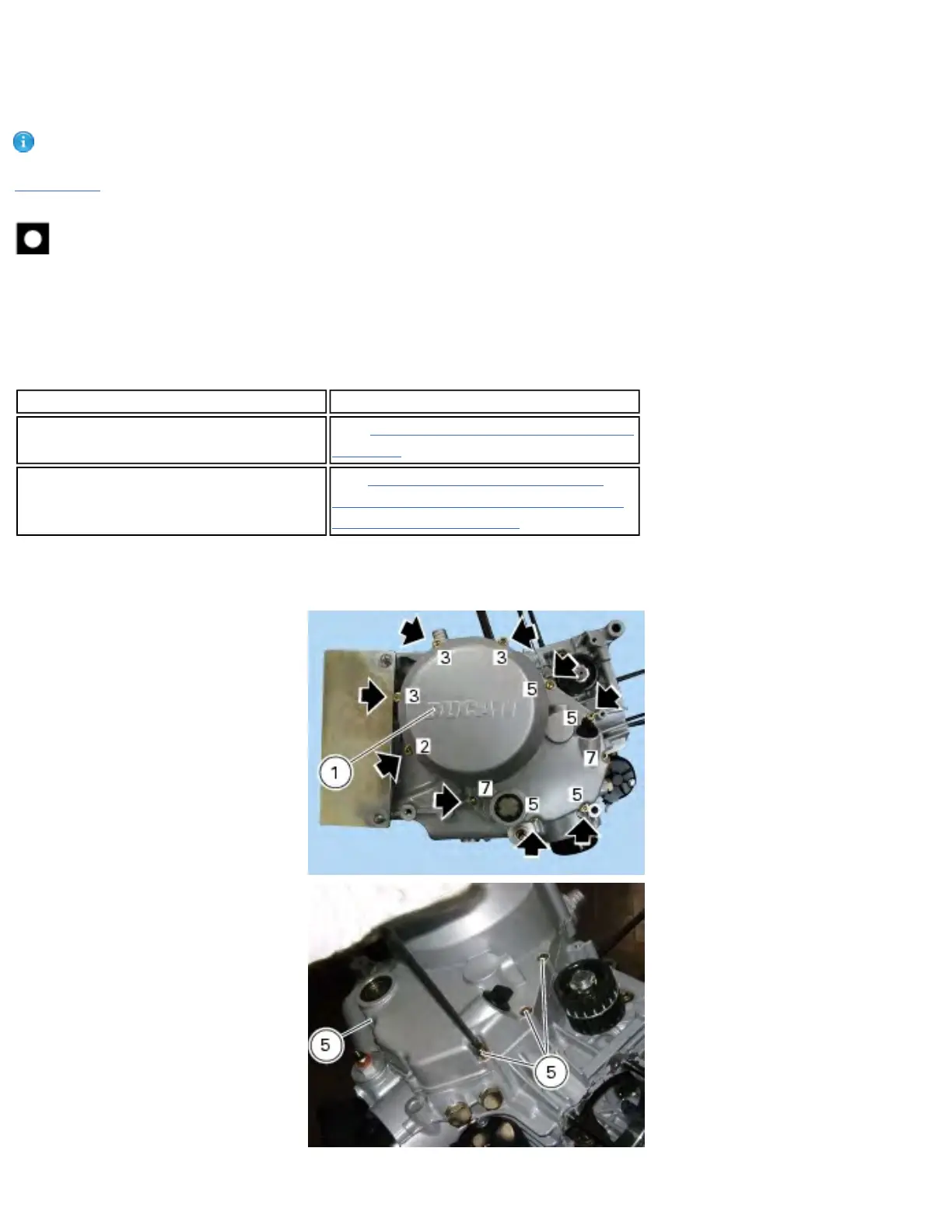
Unscrew the screw (7) placed at the bottom end of the clutch cover.
Remove the screw (7), the washer (16), cable bracket (22) and spacer (18).
Unscrew the retaining screws (2), (3) and (5) of clutch cover (1).
Tap at various positions along cover outer edge with a plastic mallet to aid removal.
file:///C|/Documents%20and%20Settings/F4i/My%...manual/wsm/usa/Mon695_MY07_N_6B9_00.68.1.html (2 of 8) [10/7/2008 8:45:59 PM]









 To Next Page