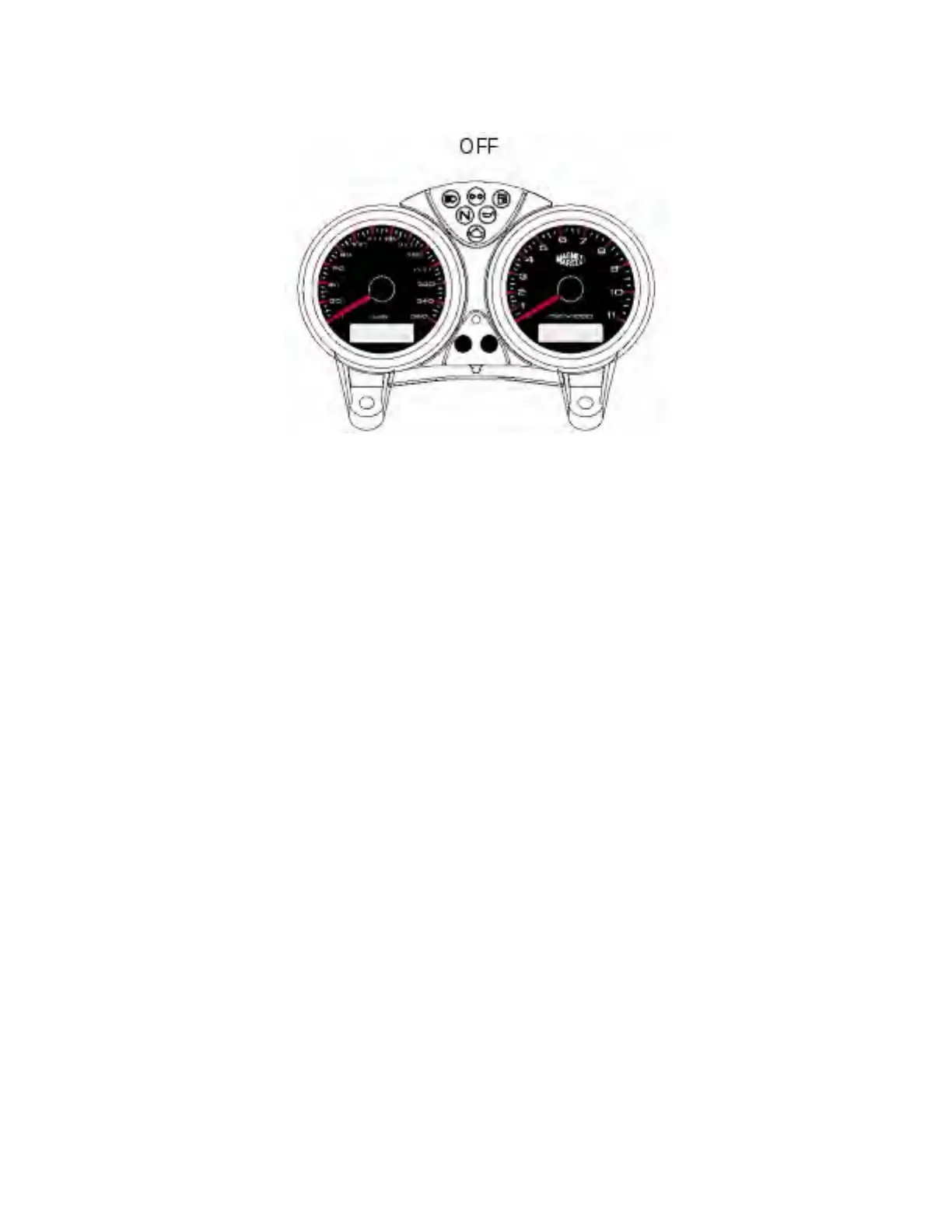
LCD unit operation
On starting (key is turned from OFF to ON), the instrument panel runs an overall instrument check
routine (gauges, display, warning lights).
Operation of LCD unit (9)
Press the button (12) with key ON to toggle between trip meter and odometer and, if fuel reserve light
is on, distance covered since fuel reserve is used (trip fuel function).
Resetting the LCD (9) trip meter
Hold the button (12) down for over 2 seconds when set to TRIP (trip meter is displayed) to reset.
Operation of LCD unit (11)
Press the button (13) with the key turned to ON to display clock and coolant temperature.
LCD (11) clock setting
Press button (13) for at least 2 seconds to display the time on screen (11).
Select AM/PM with the button (12).
Press the button (13) to select hour setting mode; press (12) repeatedly to set hours.
Press the button (13) to select minute setting mode.
Press the button (12) to increase minutes; keep it pressed for more than 5 seconds to make value
increase more quickly.
Press button (13) to quit the setting mode.
file:///C|/Documents%20and%20Settings/F4i/My%...manual/wsm/usa/Mon695_MY07_P_7_9_00.84.1.html (3 of 5) [10/7/2008 8:47:16 PM]






 To Next Page