Soft Serve Freezer Model GES-102
16 184559
6 Operator Controls
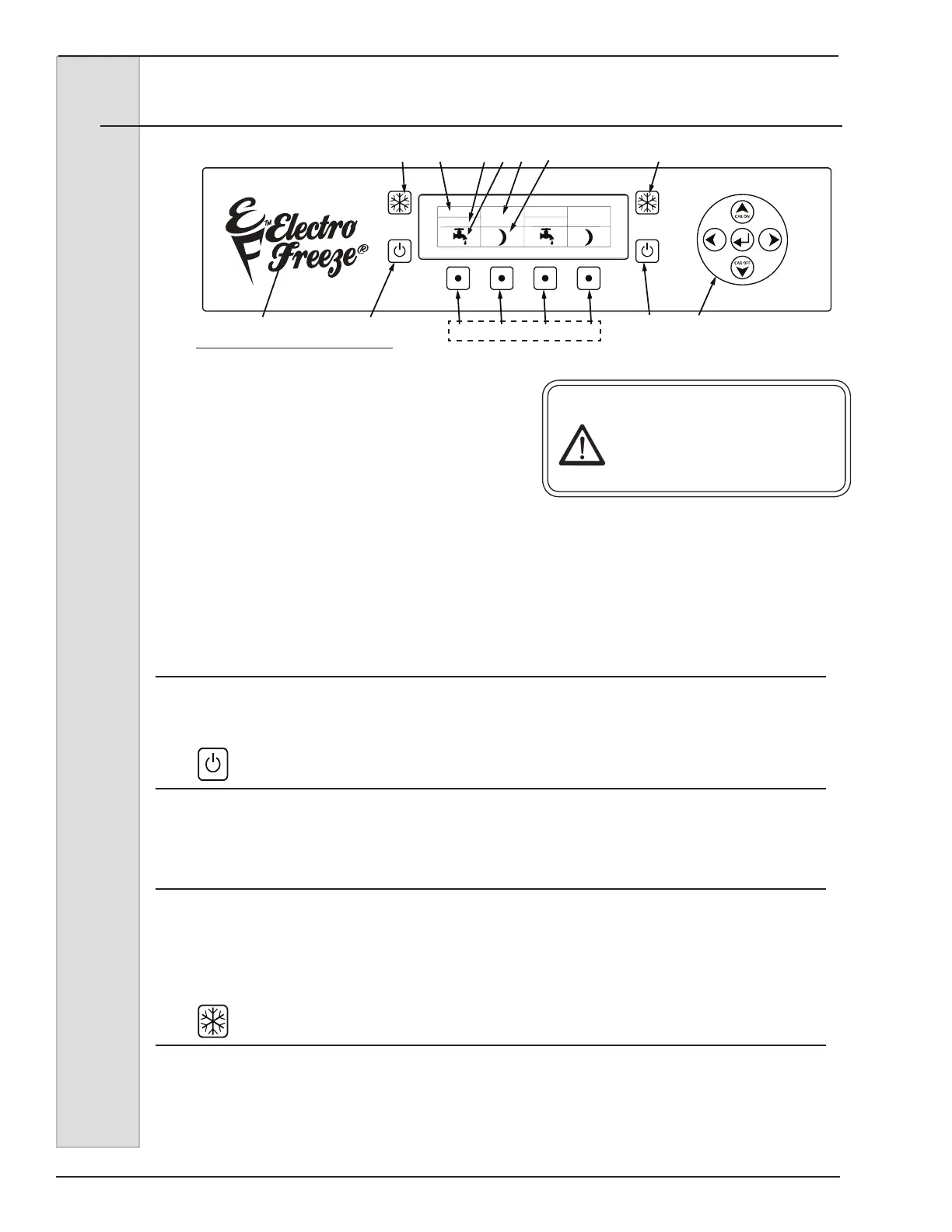
Figure 6-1
The following paragraphs describe the
operator controls. Refer to Fig. 6-1 for
numbered items in description. Note the
left side controls operates the left side
cylinder and hopper. Operation for right
side controls is the same. The display
window has three levels of display:
Operators Menu, Technician Menu, and
Factory Menu. The last two menus
are restricted and reserved for use by
qualied personnel.
CAUTION
Test operation of the head
switch prior to placing the
freezer in service. See Section
11, Routine Maintenance,
Monthly.
NOTE: The dispense head must be in
place before the freezer will operate.
1. Function Buttons (Four)
Pressing any of these buttons will activate the icon directly above in the display
screen. Left side (L1 & L2), Right Side (R1& R2).
2. OFF Key
When this symbol is pressed, the left side of unit will shut off. The beater motor and
compressor will not operate.
3. Navigation Pad (Up/Down = Cabinet ON/OFF)
Used to navigate the menu structure as well as turning the cabinet on/off. UP Arrow -
Energizes Cabinet refrigeration only when freezer is in OFF position. DWN Arrow -
De-energizes Cabinet refrigeration only when CAB Refrig is ON. See Troubleshooting
section for Operator accessible controls.
4. Freeze Symbol
When this symbol is pressed, the unit will enter the automatic freeze mode. Both
the hopper and cylinder compressors will energize to refrigerate product to settings in
program. Use this button for DAY mode operation to maintain product in “ready to
serve” state.
L1
23
45 6789
10
2
4
L2 R1 R2
1
LEFT RIGHT
OFF
OFF



 To Next Page