Soft Serve Freezer Model GES-102
18 184559
L1
23
45 6789
10
2
4
L2 R1 R2
1
LEFT RIGHT
OFF
OFF
6 Operator Controls (continued)
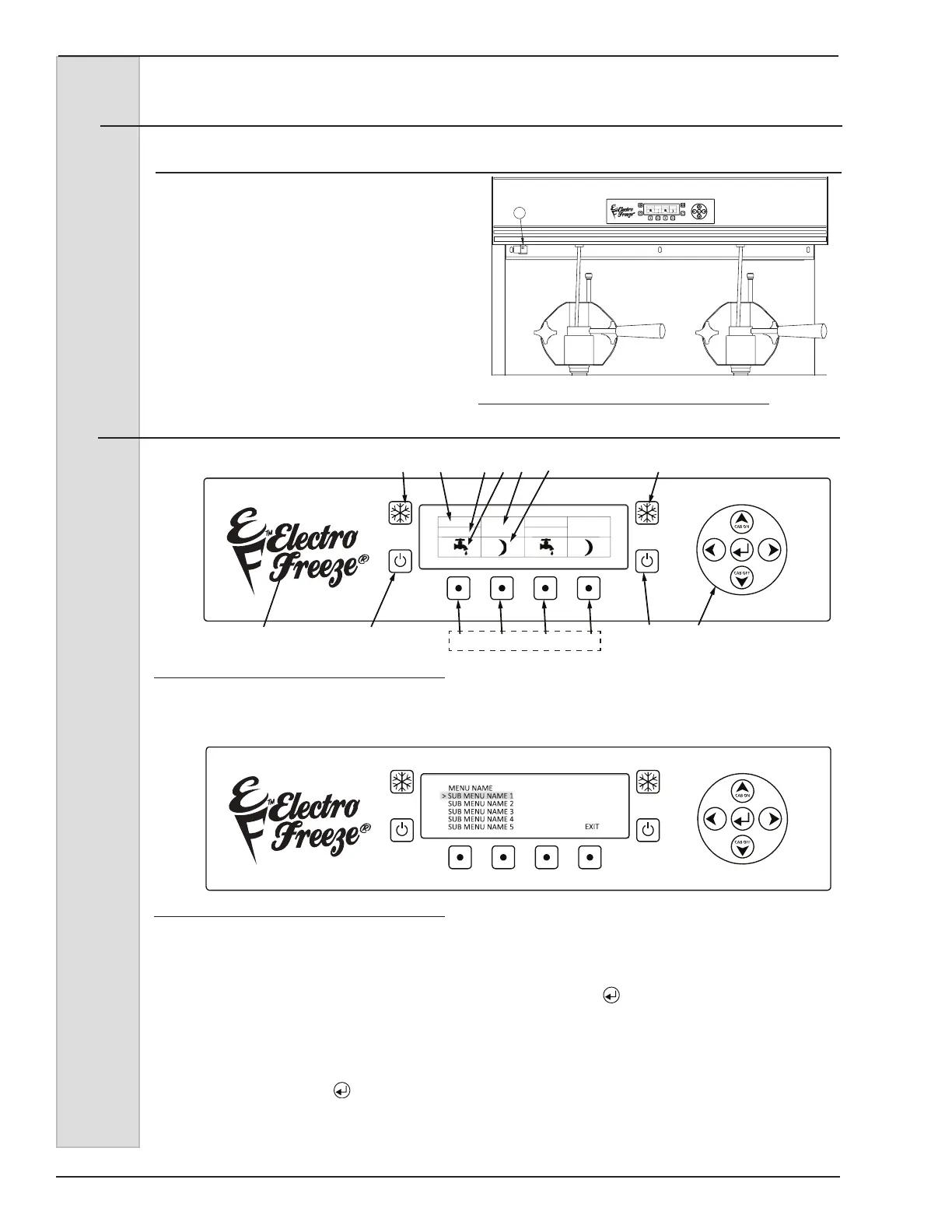
11 Power Switch See Figure 6-3
In the “ON” position, power is supplied
to the beater motors. Use this position
to operate the freezer. Select the ”OFF”
position for disassembly and cleaning.
See Operators Display Menu for use of
this switch in recording cleaning cycles.
Figure 6-3
7 Operator Display Menus
To Enter the Operator Menu, push and hold the hidden key (11) under the F for 3 seconds
(gure 7-1).
The operator menu will show up on the screen (gure 7-2). The cursor will highlight the
selected sub-menu (i.e. Basic Setting, Actual Temps, etc.), use the Arrow Buttons to move
the cursor up or down to the desired sub-menu. Once the desired menu is highlighted, in
this example we will use Basic Settings, press the select ( ) button to enter the sub-menu.
Product Type and Temperature Offset will be shown for left and right barrel. Use the Arrow
Buttons to move the cursor to highlight the value to be changed, once highlighted press the
select button and the cursor will now be blinking. While the cursor is blinking the value may
now be changed using the left or right Arrow Buttons, once you have reached the desired
setting press select ( ) one more time, the cursor will now stop blinking, this indicates that
the value change has been stored. Follow these steps to change any other desired settings,
once complete you may use the far right Function button to exit the operator menu or just wait
and the menu will time out and return to the Home screen.
Figure 7-1
Figure 7-2
LEFT RIGHT
OFF
OFF
11



 To Next Page