19
Owner's Manual for
DUKE RCO Speed Oven
8. OVEN SETUP SCREENS
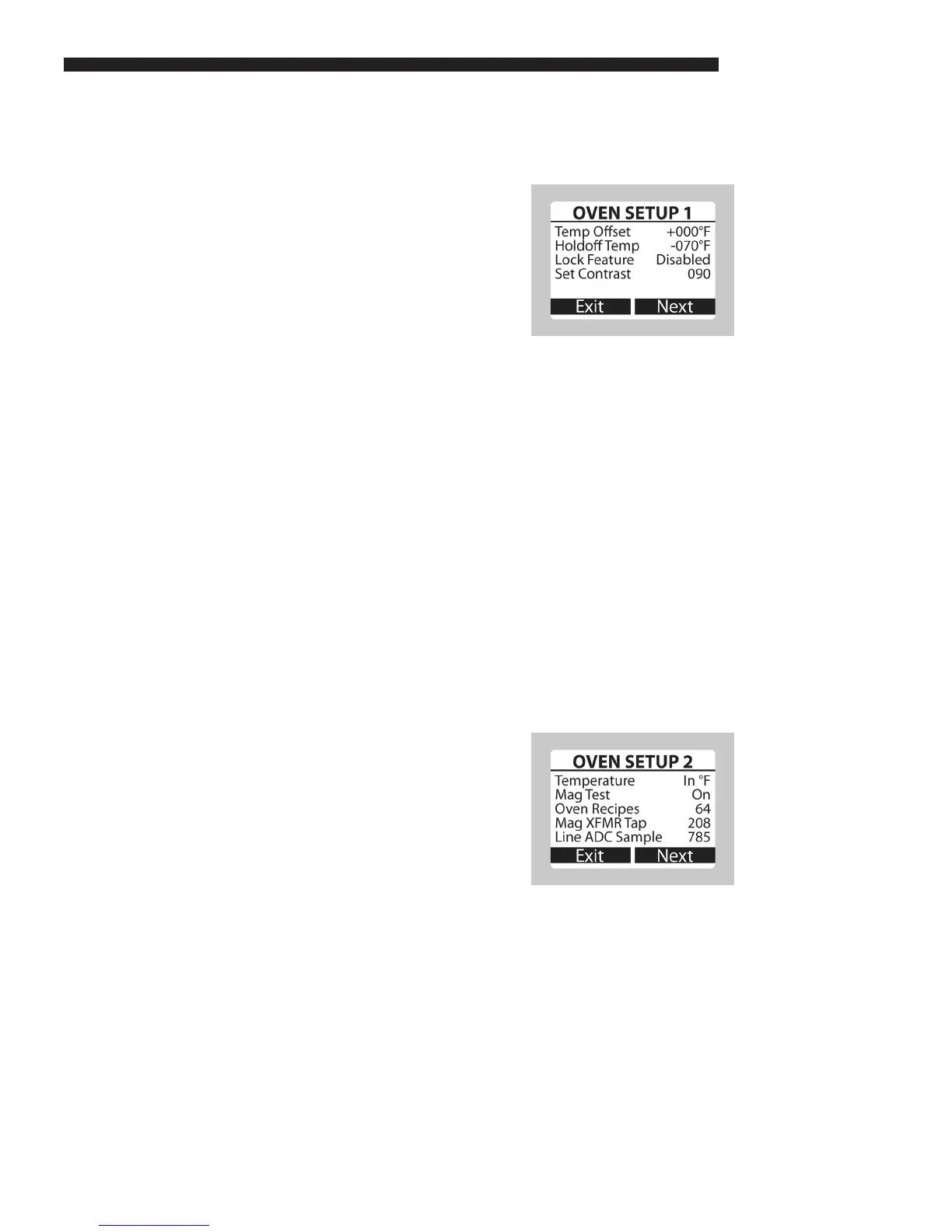
a. Oven Setup
• From the Support screen press the TIME
and TEMP/FAN keys simultaneously to
enter the Oven Setup screen.
b. Oven Setup 1
• Temp Offset – The difference between
the controller measured temperature and
the manually measured temperature at the
center of the oven.
• HoldOff Temp – Allows the user to adjust
the temperature drop before the unit enters
recovery mode. This variable is adjustable
from -30 °F to -70 °F (default).
• Lock Feature – Prevents the oven recipes
from being edited.
o A lock icon appears in the upper right
hand corner of the Recipe Edit screen
when enabled.
o To disable the Lock Feature, press the
TIME, MICROWAVE and LEFT keys
simultaneously or change the Lock
Feature setting to Disabled.
• Set Contrast – Allows you to change the
contrast of the screen.
c. Oven Setup 2
• Press the RIGHT key (Next) in Oven Setup
1 to toggle to Oven Setup 2.
• Temperature – Toggles the temperature
display between Fahrenheit (default) and
Celsius.
• Mag Test – Allows the user to decide
whether or not to be notied of Mag
(magnetron) errors. When off, Mag Errors
are recorded, but not displayed.
• Oven Recipes – Toggles the number
of available recipes in the oven from 64
(default) to 256. This will add 4 subgroups
under each product group.
OPERATING INSTRUCTIONS



 To Next Page