20
Owner's Manual for
DUKE RCO Speed Oven
9. TEST AND RESET SCREENS
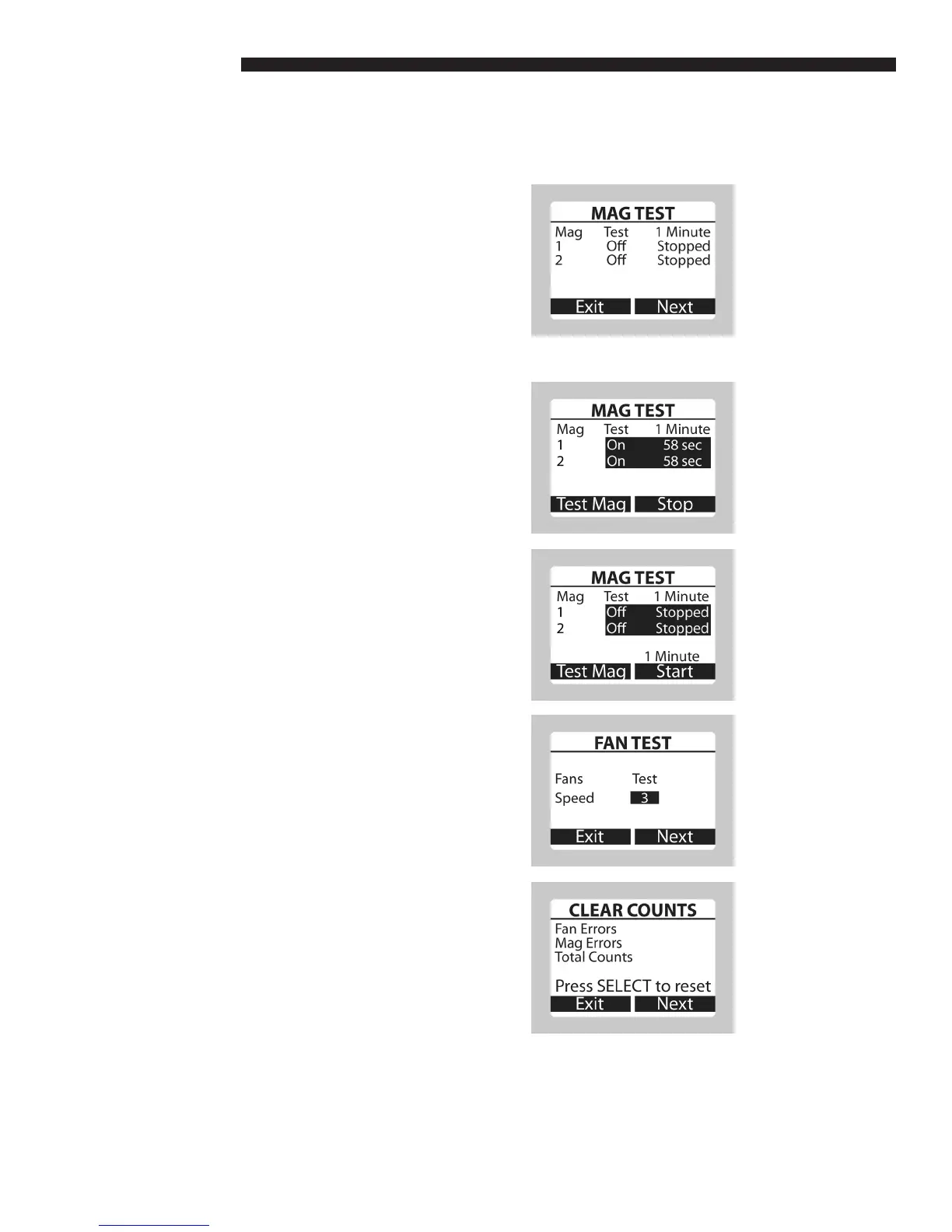
a. Mag (magnetron) Test
• Press the TEMP/FAN and MICROWAVE
keys simultaneously in the Support screen
to enter the Mag Test screen.
• Press the SELECT key for a magnetron test.
• Place a load in the oven cavity before
testing. Duke recommends a 275 mL load in
a 600 mL beaker or a typical food load and
change to a fresh load every test.
b. Mag (magnetron) Test – 1 Min Start
• To test the magnetrons for 1 minute, press
the RIGHT key (1 Min Start). Underneath
1 Min will display the countdown time in
seconds. Pressing the RIGHT key again
during testing will stop the test.
c. Mag (magnetron) Test – Test Mag
• To test the magnetrons for an indeterminate
amount of time, press and hold the LEFT
key (Test Mag). The magnetrons will be
tested until the LEFT key is released.
• Press SELECT again to return to the initial
test screen.
d. Fan Test
• Press the RIGHT key (Next) in Mag Test to
toggle to Fan Test.
• Press the SELECT key to select the fan
speed (0 to 9) to be tested.
• NOTE: A fan speed of 0 is for testing
purposes only, it cannot be used in a recipe.
e. Clear Counts
• Press the RIGHT key (Next) in Fan Test to
toggle to Clear Counts.
• Press the SELECT key to reset the counters
shown on this screen.
OPERATING INSTRUCTIONS



 To Next Page