52
NOTICE
During initial ignition, burner may not ignite. This may
cause boiler to shut down until any air in gas pipes is
vented. Repeat ignition procedure until gas reaches the
burner. To reset boiler operation, press
for at least
2 seconds.
9.10 De-Aeration Function
Used to eliminate air inside the heating circuit when boiler
is installed or after maintenance when water is drained from
primary circuit.
1.
Press buttons together and hold for 6 seconds.
On appears on display for a few seconds, followed by
program row 312.
2.
10 minutes. Function will automatically stop at end of the
cycle.
3.
To manually exit this function, press buttons
together and hold for 6 seconds.
9.11 Commission Set Up (Gas) - Changing The Type
Of Gas
During the rst installation boiler carries out an automatic
commissioning function.
The system is able to detect the gas type present in the
network.
Correct gas type setting, is made by pressing two buttons at
the same time, see section 9.6 Commissioning.
Change of gas type is made after
• Change parameter P02. See section 9.6
Commissioning and section 9.15 Parameter Settings.
• Check minimum gas pressure is suitable for selected gas:
minimum gas pressure is determined with boiler operating
source operational as well (whole house load)
Gas A (NG) = 3.5" (8.7 mbar)
Gas E (LPG) = 8.0" (19.9 mbar)
• Place supplied label with indication of gas type close to
the data plate of boiler replacing the original.
• Perform Automatic Calibration Function - Section 9.8.
• Manufacturer recommends
verication of CO2 concentration
on the ue.
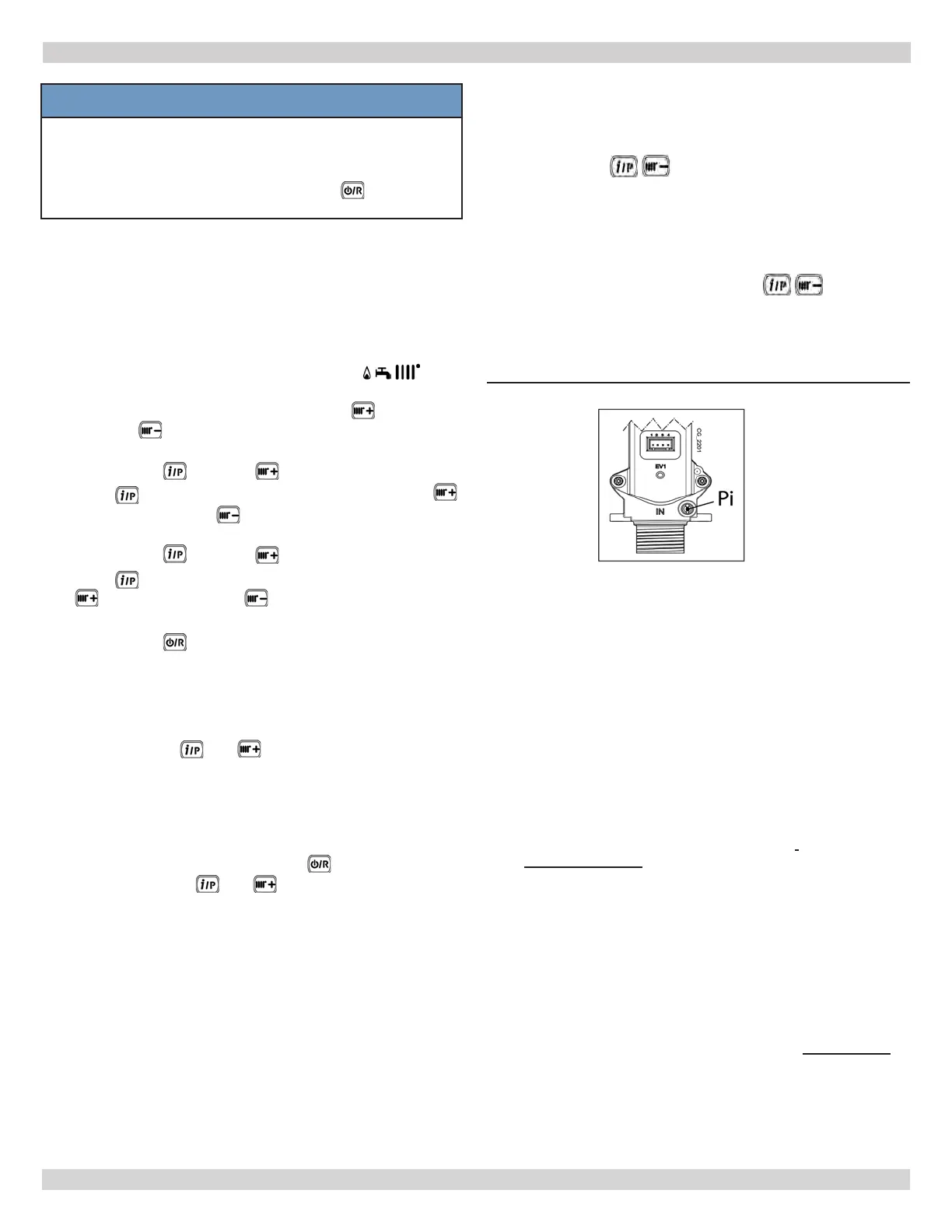
FIGURE 9-3 - Gas Inlet Tap - Pi
9 - START UP PROCEDURE
PI = Gas Supply Inlet Pressure Tap
IMPORTANT INFORMATION
A. If venting or gas recognition function is interrupted
by power blackout, start function again when power is
restored. Press
and together and hold at same
time for at least 6 seconds.
B. If display shows fault E118 (low pressure in hydraulic
pressure.
C. If gas recognition function is interrupted due
to fault (e.g.: E133 no gas) press
to
reset. Then press and (for at least
6 seconds) to restart the function again.
If gas recognition function is interrupted due to
overheating, restart function by pressing and holding
down together for at least 6 seconds.
D. Combustion of this appliance has been factory controlled,
calibrated and set for operation with Gas A (Natural
Gas).
E. During Gas Type Control Function, combustion ratio will
increase for a short period of time while gas type is being
established.
9.9 Manual Calibration Function:
Manual Calibration phase starts at the end of the Automatic
Calibration.
The Display shows the boiler power and adjustment of the
CO2 value (parameter setting) during Manual Calibration
sequence.
The process begins at minimum power.
A. After Automatic Calibration sequence with
minimum power combustion by pressing
to lower %
CO
2
, and to raise % CO
2
.
B.
range, press
and then to reach ignition power.
C. Press to adjust ignition power combustion. Press
to lower % CO
2
, and to raise % CO
2
.
D.
range, press
and then to reach maximum power.
E. Press to adjust maximum power combustion. Press
to lower % CO
2
, and to raise % CO
2
.
F.
range, press
to exit Manual Calibration Function ESC
is displayed on the sceen..
240013360
REV A [07/01/2021]


 To Next Page