13
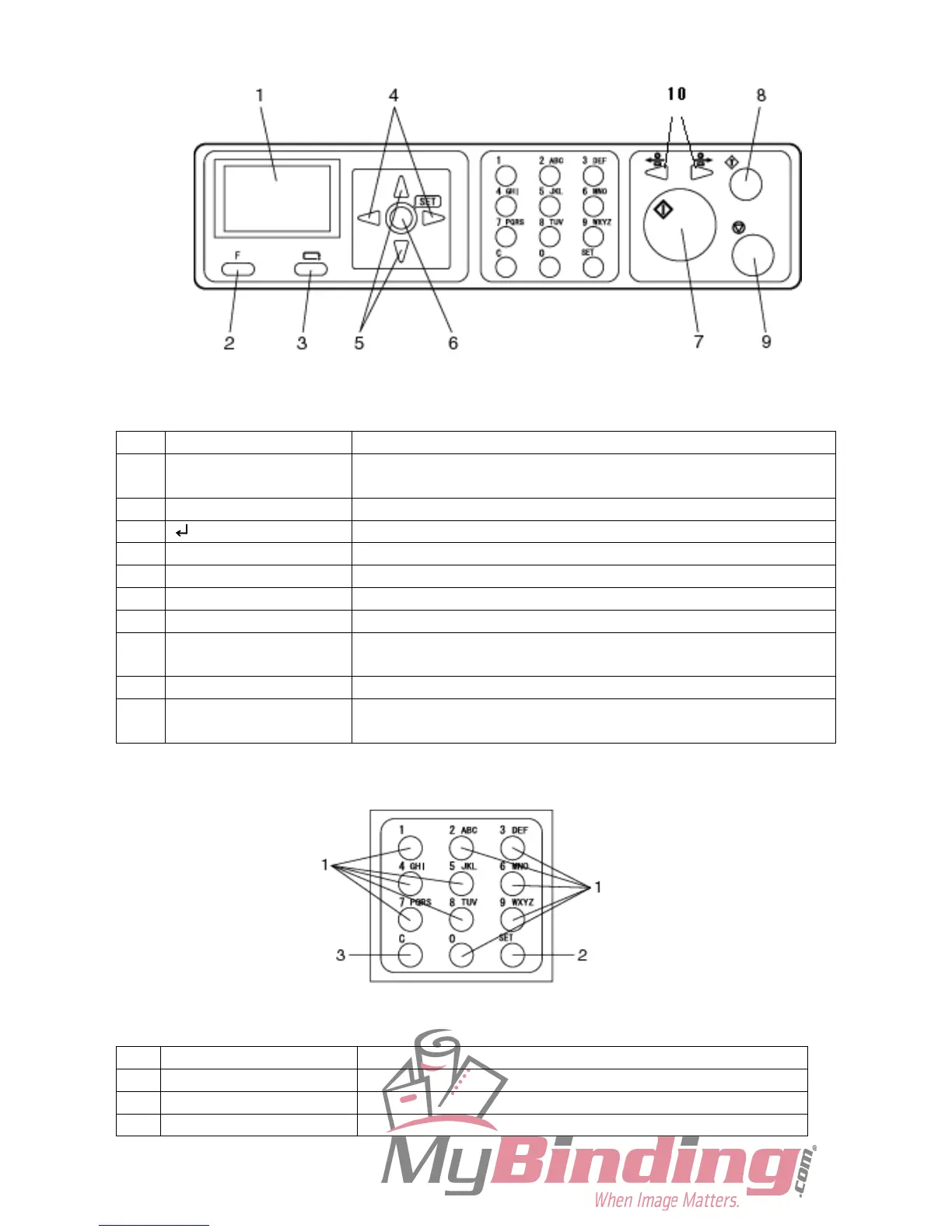
●Control Panel
No. Name Function
1 LCD panel Displays the status of the machine.
Displays message when an error or paper jam occurs.
2 F key Switches to function selecting display.
3 RETURN key Switches the current JOB entering screen to the previous one.
4 Cursor (left/right) Press to move the cursor to horizontal direction.
5 Cursor (up/down) Press to move the cursor to vertical direction.
6 SET key Press to confirm selection / entry.
7 START key Press to start processing document.
8 TEST key Press when you want to process one (sheet) document to test the
current JOB details.
9 STOP key Press to stop processing.
10 JOG key Press to eject the document from the machine when paper jam
occurred.
No. Name Function
1 Number key Press to enter JOB / values to process.
2 SET key Press to fix selection or entry entered by the Number keys.
3 CLEAR key Press to clear the count.



 To Next Page