26
Setting
REFERENCE:
Contents registered in the “Setting” changes the JOB temporarily.
Please note that changed setting is cleared and does not overwrite the already registered JOB
when the power to the machine is turned OFF.
However, the following 2 settings are valid for all JOBs and stored in the machine.
・Setting Select unit mm / inch
・Setting Double detection ON/OFF
1. Turn the power ON.
2. Make sure that the LCD panel displays stand-by screen.
3. Press the F key.
‘Select menu‘ screen appears.
4. Select ‘Setting’ using the cursor (UP/DOWN) key and press
the SET key.
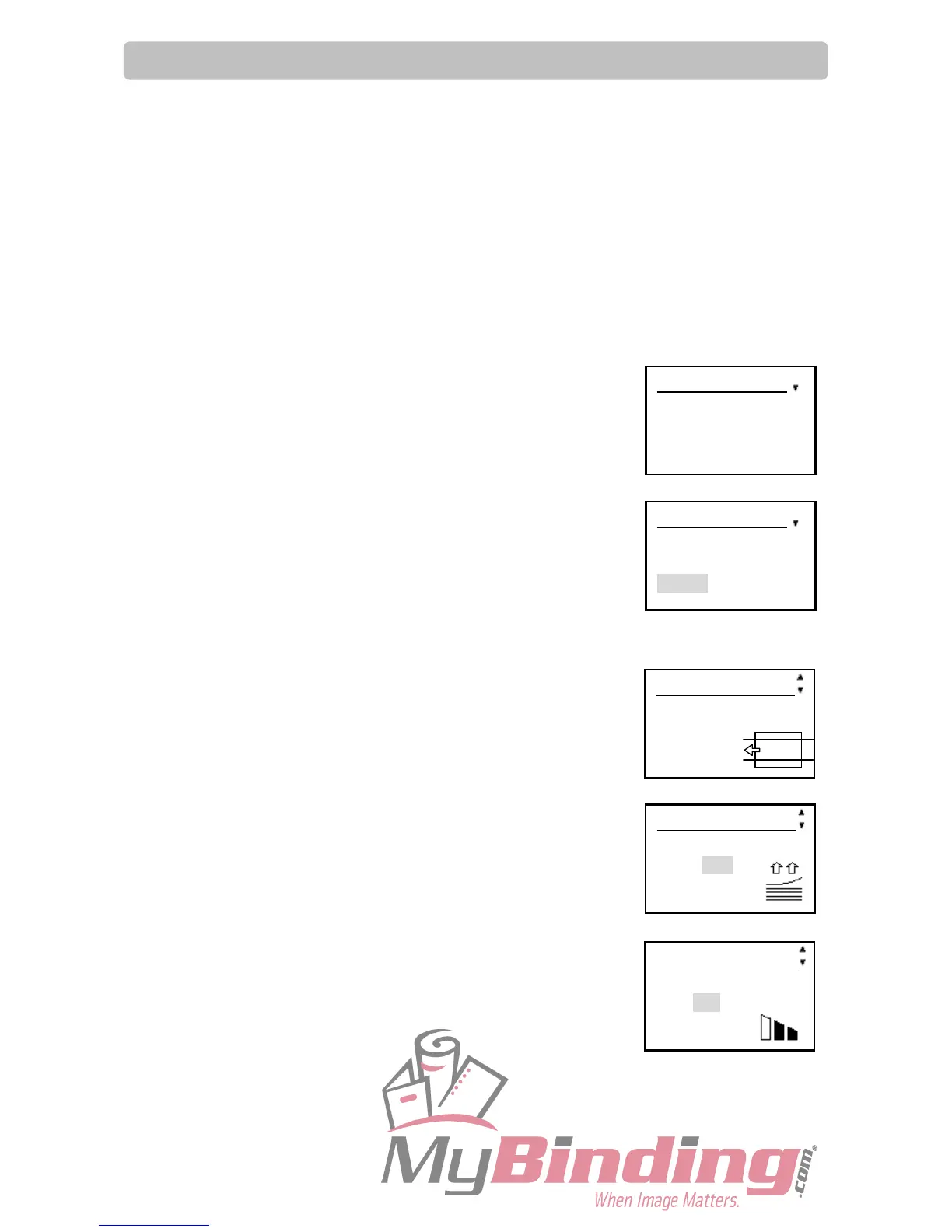
5. Please perform each setting with referring to the right pictures.
5-1. Slit / Perf (option)
Select ON or OFF.
5-2. Air knife (option)
Increases the amount of compressed air to the paper edge
when the paper is fed to improve separating performance.
Select ON or OFF.
5-3. Suction Power
Compressed air is blown out to loosen document.
This is to prevent double feed.
Select MAX, MID, or MIN.
Select menu
Retrieve JOB
Enter JOB
Setting
Select menu
Retrieve JOB
Enter JOB
Setting
Setting 2/10
Air knife
ON OFF
Setting 1/10
Slit / Perf
ON OFF
Setting 3/10
Suction power
MAX MID MIN



 To Next Page