34
Messages
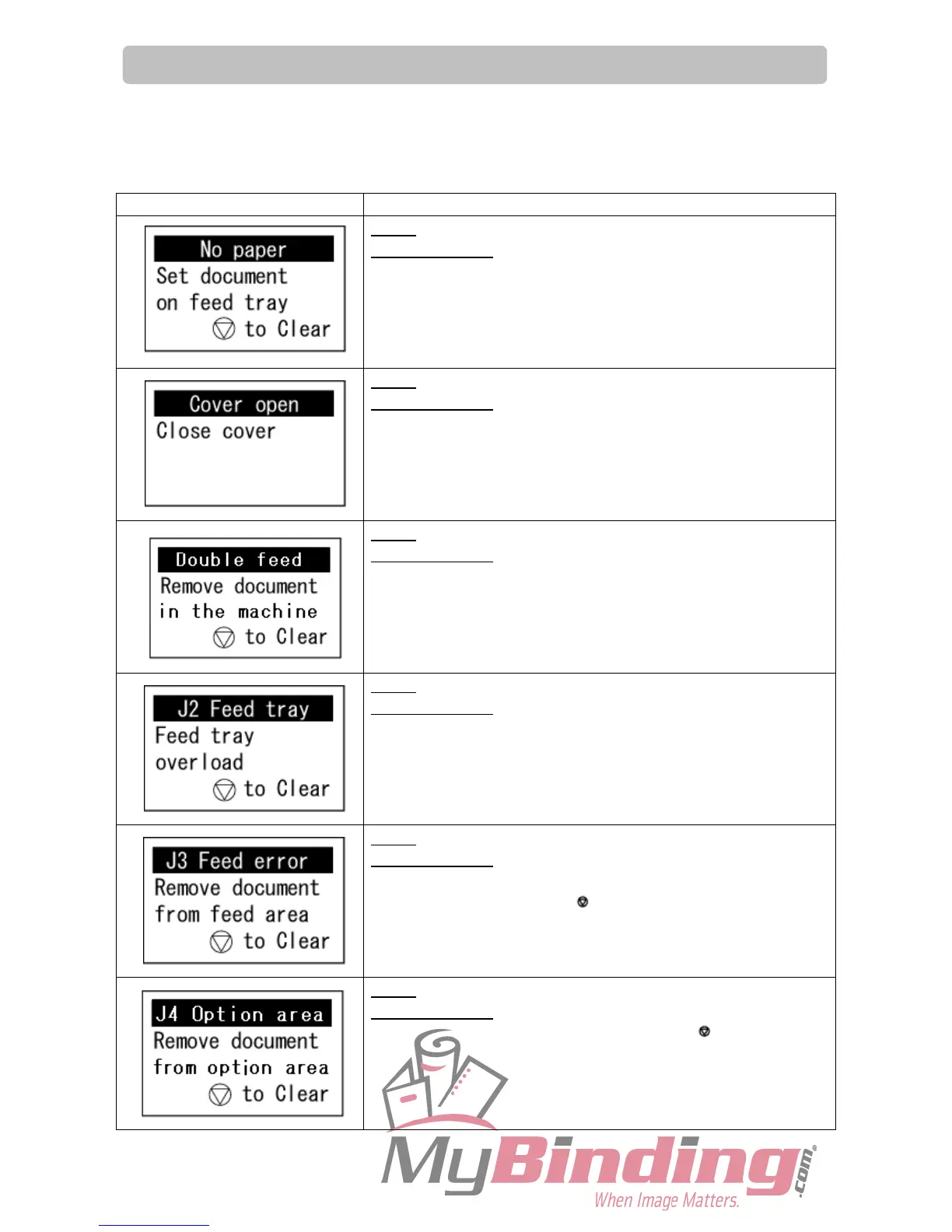
When an error occurs, illustration and message about the error are displayed on the LCD panel.
In such cases, take measures according to the following instructions.
Message Status and Countermeasures
Status: There is no document on the feed tray.
Countermeasure: Load document on the feed tray.
Status: Top cover is open.
Countermeasure: Close the top cover.
Status: Double Feed
Countermeasure: Remove documents in the machine.
Status: Too many documents are loaded on the feed tray.
Countermeasure: Set documents so that the height of the
document stack should not exceed the ‘MAX’
level. (There is an indication on the right side
of the feed tray.)
Status: Paper jam in the paper feeding area or processing area.
Countermeasure
: Remove the jammed documents from the
paper feeding area or processing area, and
press the STOP key.
Status: Paper jam in the option area.
Countermeasure
: Remove the jammed documents from the
option area and press the STOP key.



 To Next Page