Step 5 Push the knife to the bottom, use Allen key
to lock the 2 knife lock screws to lock the knife
to the tool body
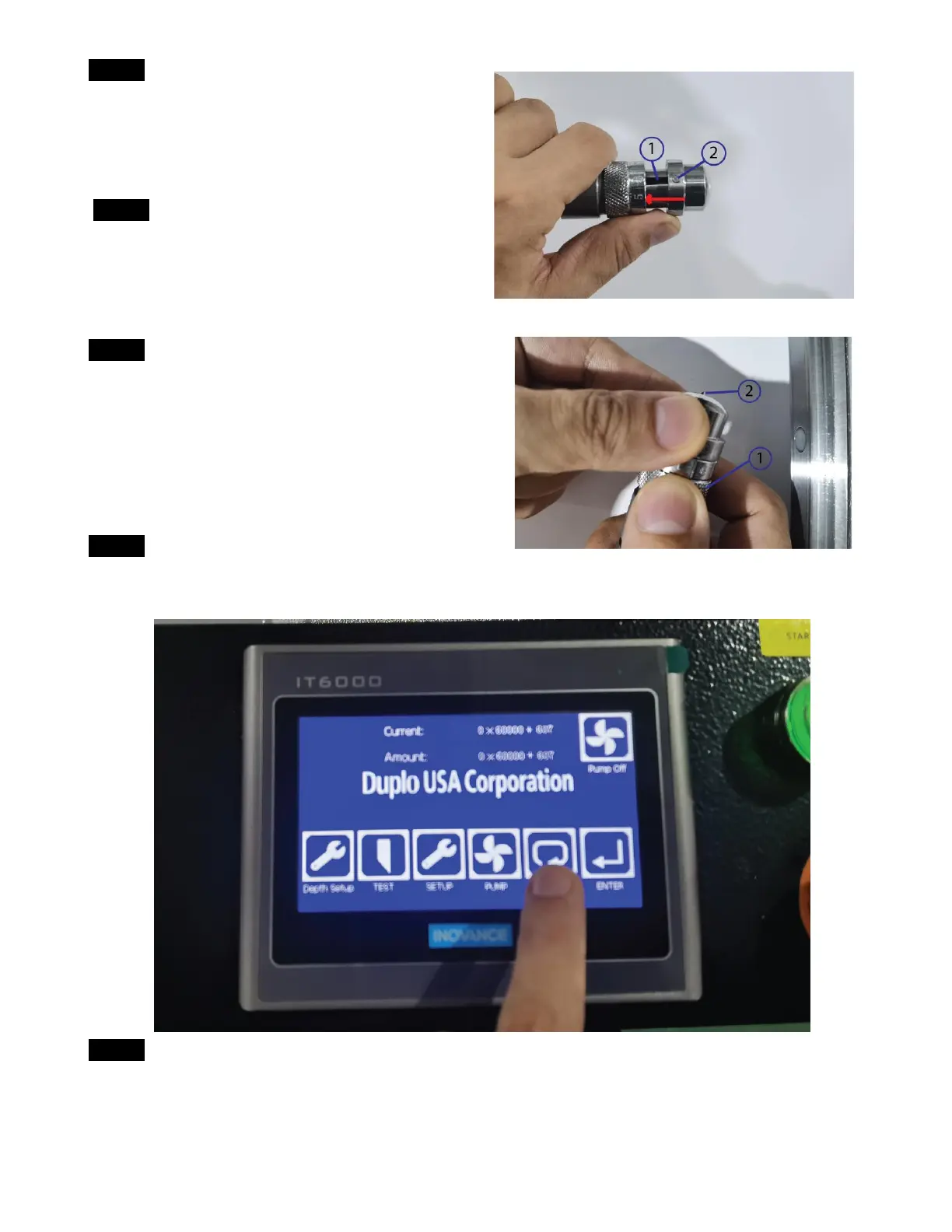
Step 6Put back the tool cap and match the pin on
the tool cap to the slot on the tool body and
push the cap to fit into the tool body
Step 7Rotate the knife adjust the ring to adjust the
knife point to come out of the tool cap 1-2mm
①: Knife adjust ring
②: Knife point
Step 8: Press the reset button to reset the cutter
Step 9 Loose the head cover lock screws on both side of the machine head
①: Right side head lock screws
②: Left side head lock screws



 To Next Page