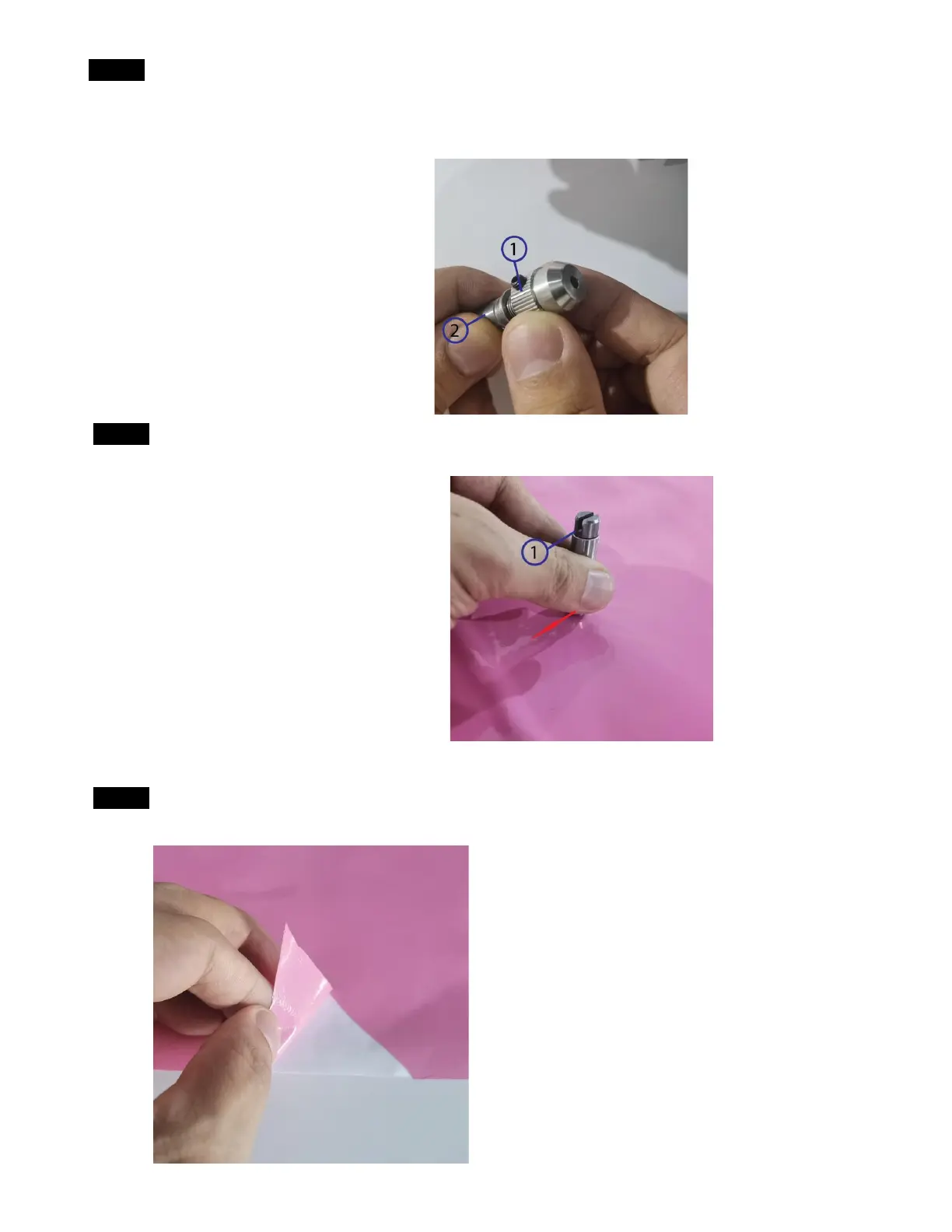
Step 7 Hold the tool tail and rotate the tool cap to adjust the Knife point expose distance from the tool cap
①: Tool cap
②: Tool tail
Step 8 Press down the tool on the surface of the sticker material with a certain force. Then drag it along
the flat step in the tool tail direction.
①: Flat step in the tool tail
Step 9 Check if you can only peel off the top layer of the sticker material and the knife will not hurt the
bottom layer too much. If not adjust the knife point expose distance.



 To Next Page