Getting Started
EN-17
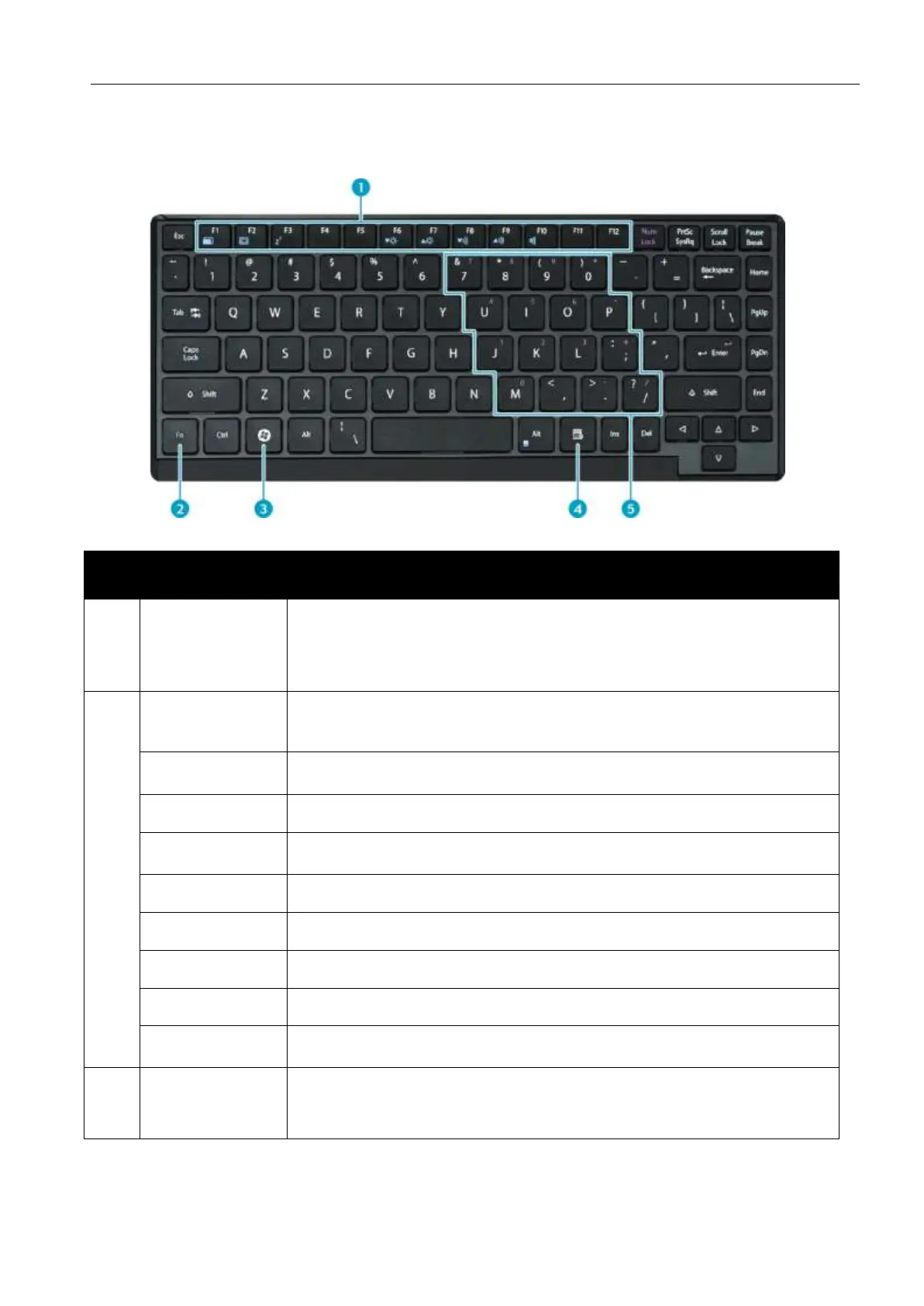
Using the Keyboard
These function keys are used to perform designated tasks.
The tasks for each key may vary from one application to
another.
Press the [Fn] key in combination with other keys to
execute a command.
Toggles the touch pad to on/off.
Toggles between LCD, External display, or both.
Switches to suspend mode.
Decreases the brightness level.
Increases the brightness level.
Decreases the volume by one level.
Increases the volume by one level.
Turns on or mutes the volume.
Press to display the Start menu. This action is the same
as tapping the Start icon.


 To Next Page