Making Connections
EN-36
Using the Optical Disk Drive
You can use the optical disk drive (ODD) to play or record DVDs or CDs.
Placing a Disc
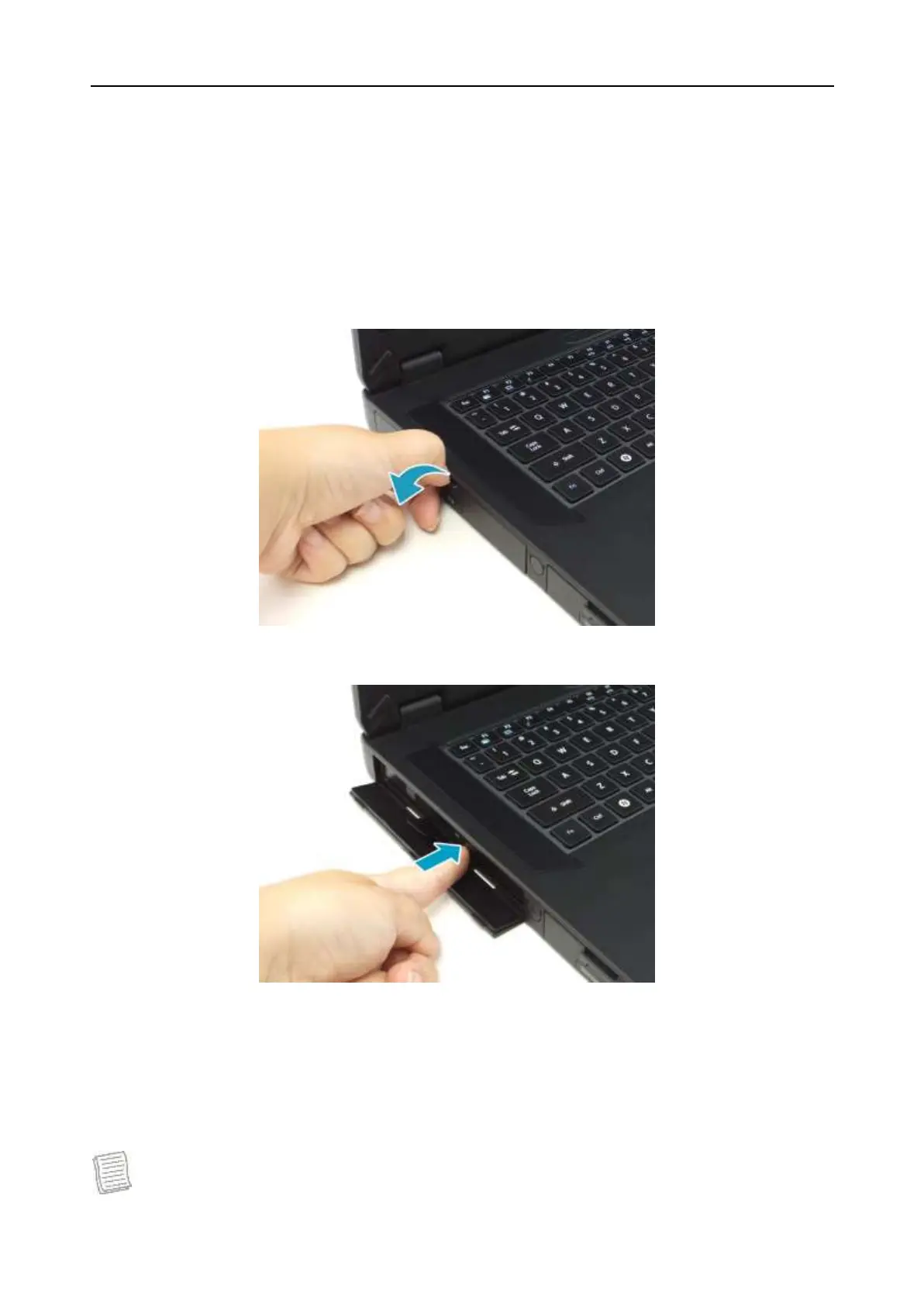
1. Pull to open the media bay cover.
2. Press the Eject button to eject the tray.
3. Place the disc on the tray. Then, close the disc tray.
Manual Ejection
If the Eject button fails to work properly, insert a paper clip into the Pin Hole
Eject to open the tray.
NOTE


 To Next Page