Making Connections
EN-39
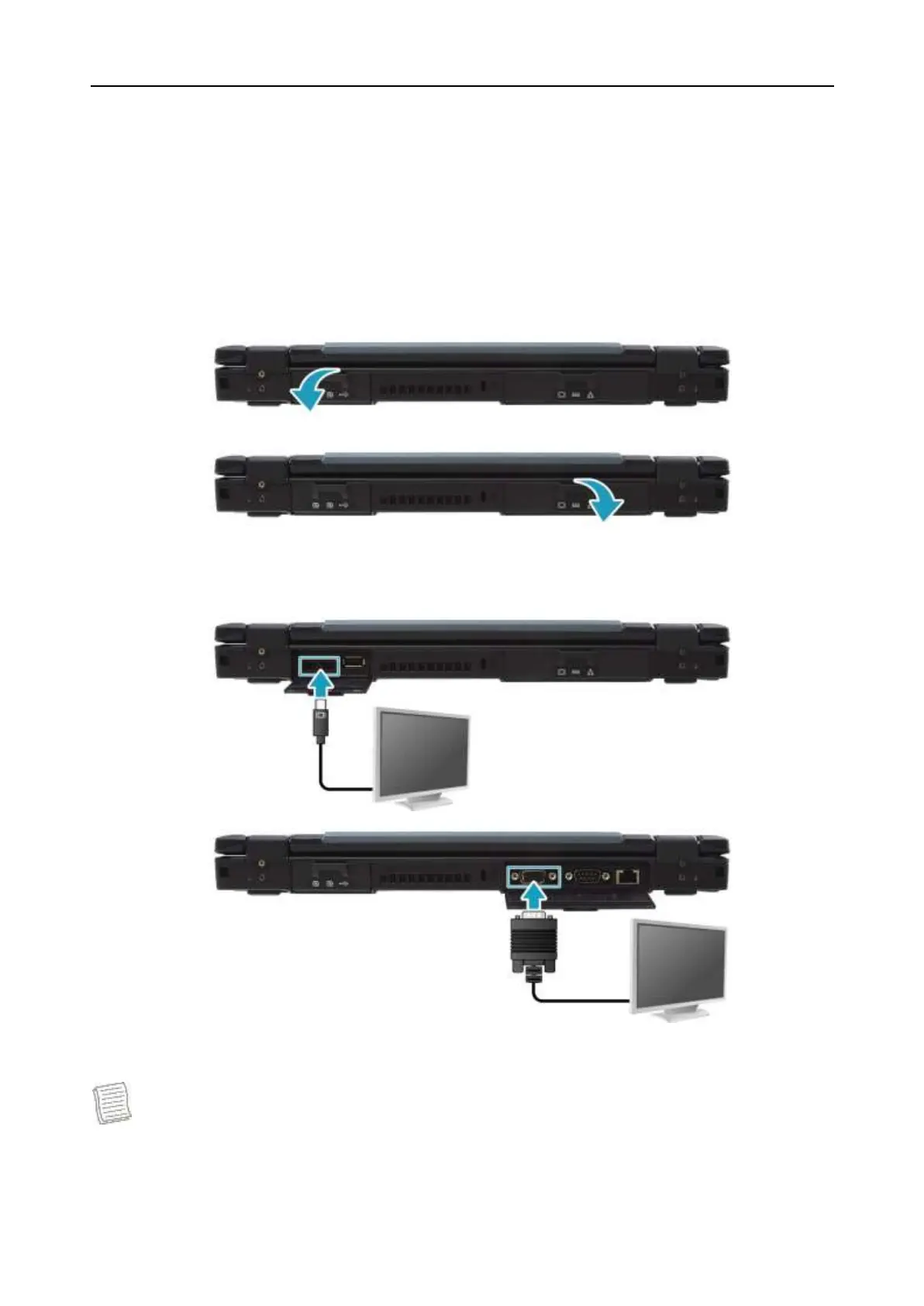
Connecting to External Displays
You can connect an additional display to your notebook by using the mini
DisplayPort or VGA cable.
1. Pull to open the I/O port cover.
2. Connect one end of the mini DisplayPort or VGA cable to the Mini DisplayPort
or VGA port of your device.
3. Connect the other end of the cable to the external display.
NOTE
The mini DisplayPort or VGA cable is not included in the package. It is sold
separately.


 To Next Page