Before You Start
EN-8
Battery latch release
button
Slide and hold the button to disengage the
battery connector.
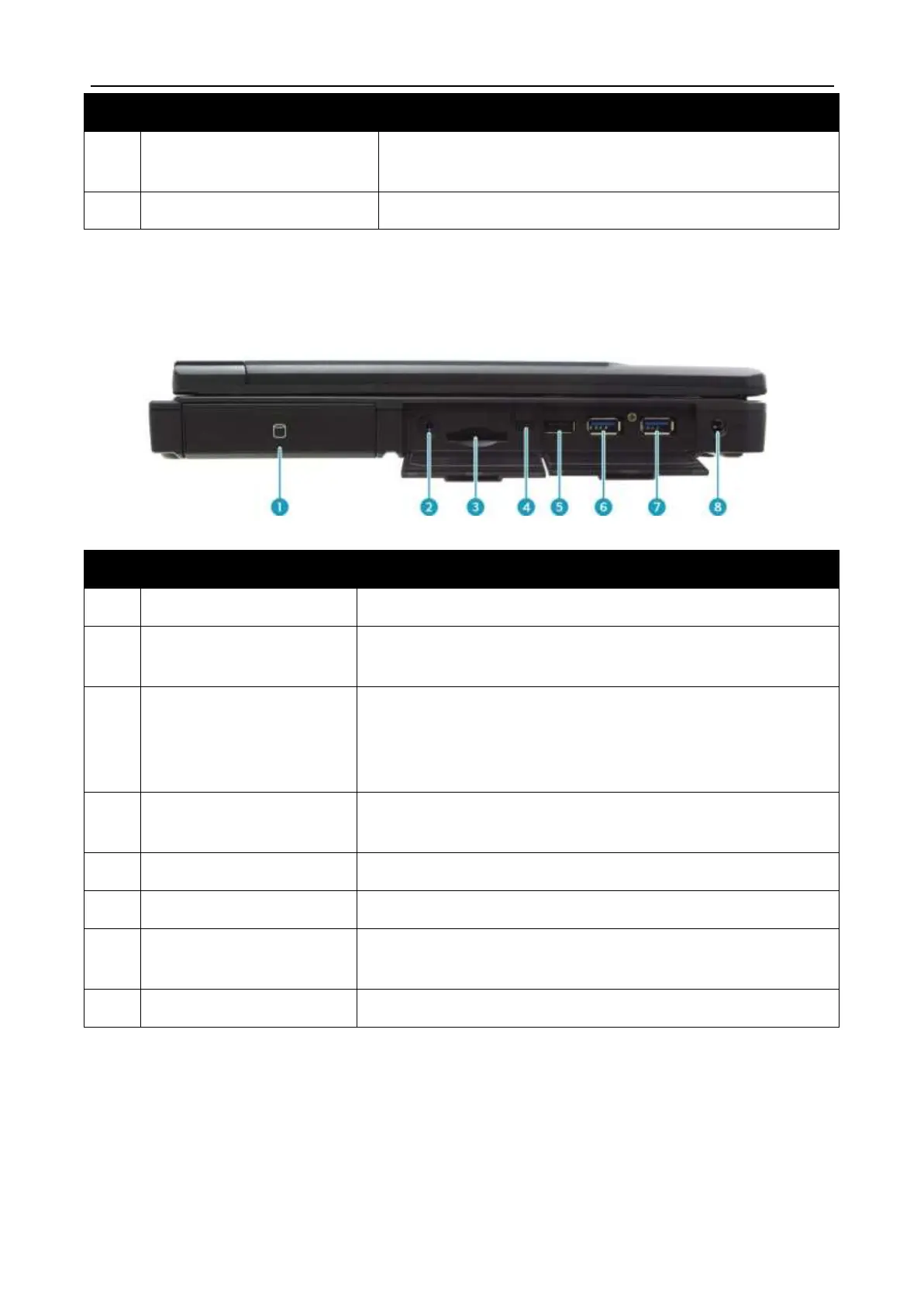
Right View
Contains the hard disk drive.
Connects to headphones, external speakers, or
microphone.
Use to insert memory cards to transfer pictures,
music, and data between your notebook and flash
compatible devices. The card reader supports SD
(Secure Digital), SDXC, Mini-SD (with adapter).
Slide the switch to enable/disable the RF functions.
Connects to USB 2.0 peripheral devices.
Connects to USB 3.0 peripheral devices.
Supports USB charging when the system is off
(DC mode only).
Connects to the power adapter.


 To Next Page