Using the BIOS Setup Utility
EN-52
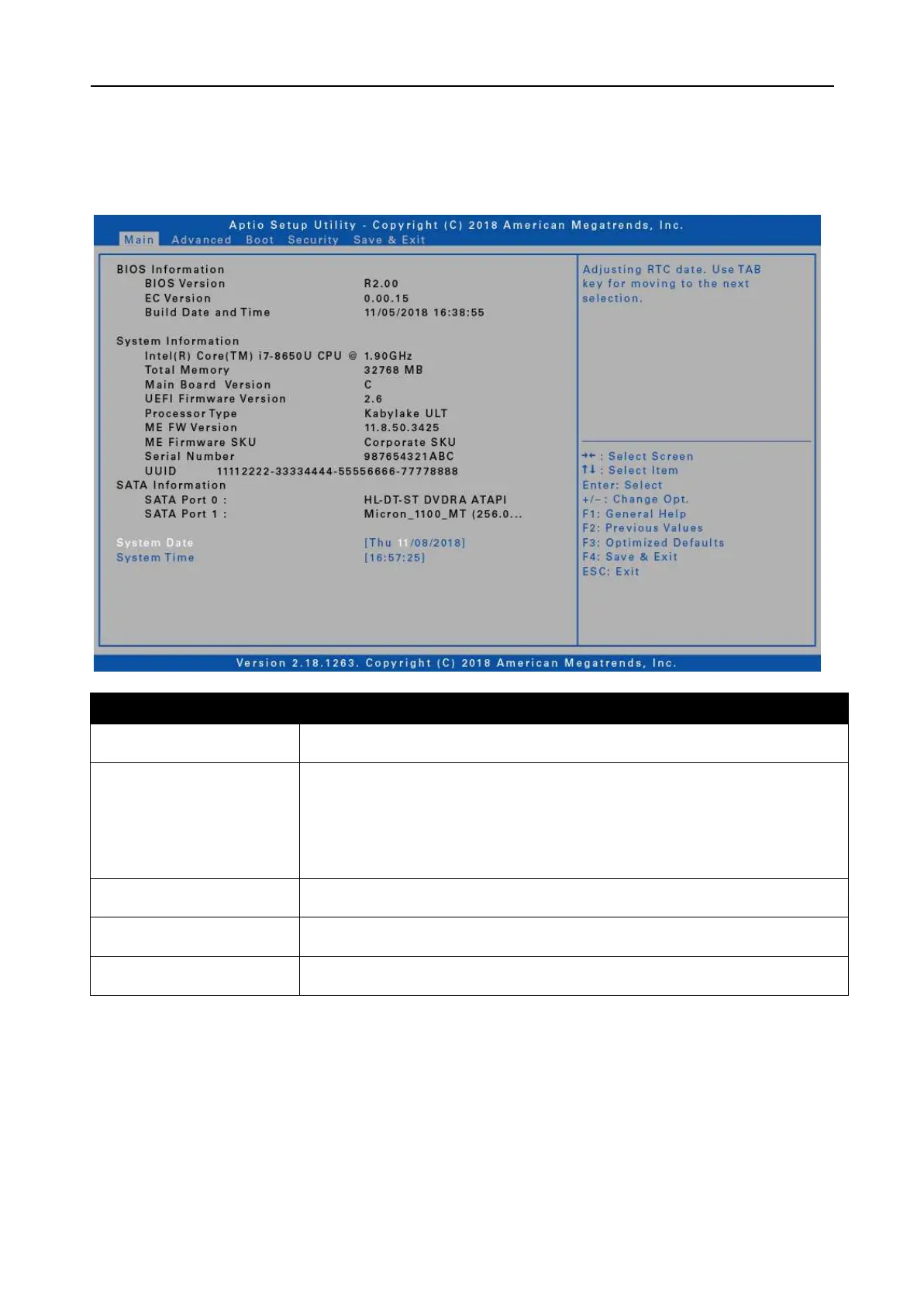
Main Menu
The Main menu displays the device’s system overview information, including the
system date and time.
Displays the BIOS version detected during boot up.
Displays the CPU type and speed, total memory,
mainboard version, UEFI Firmware version, processor type,
ME FW version, ME Firmware SKU, serial number, and
UUID.
Displays the SATA hard drive information.


 To Next Page