Making Connections
EN-41
Replacing the Hard Disk Drive (HDD)
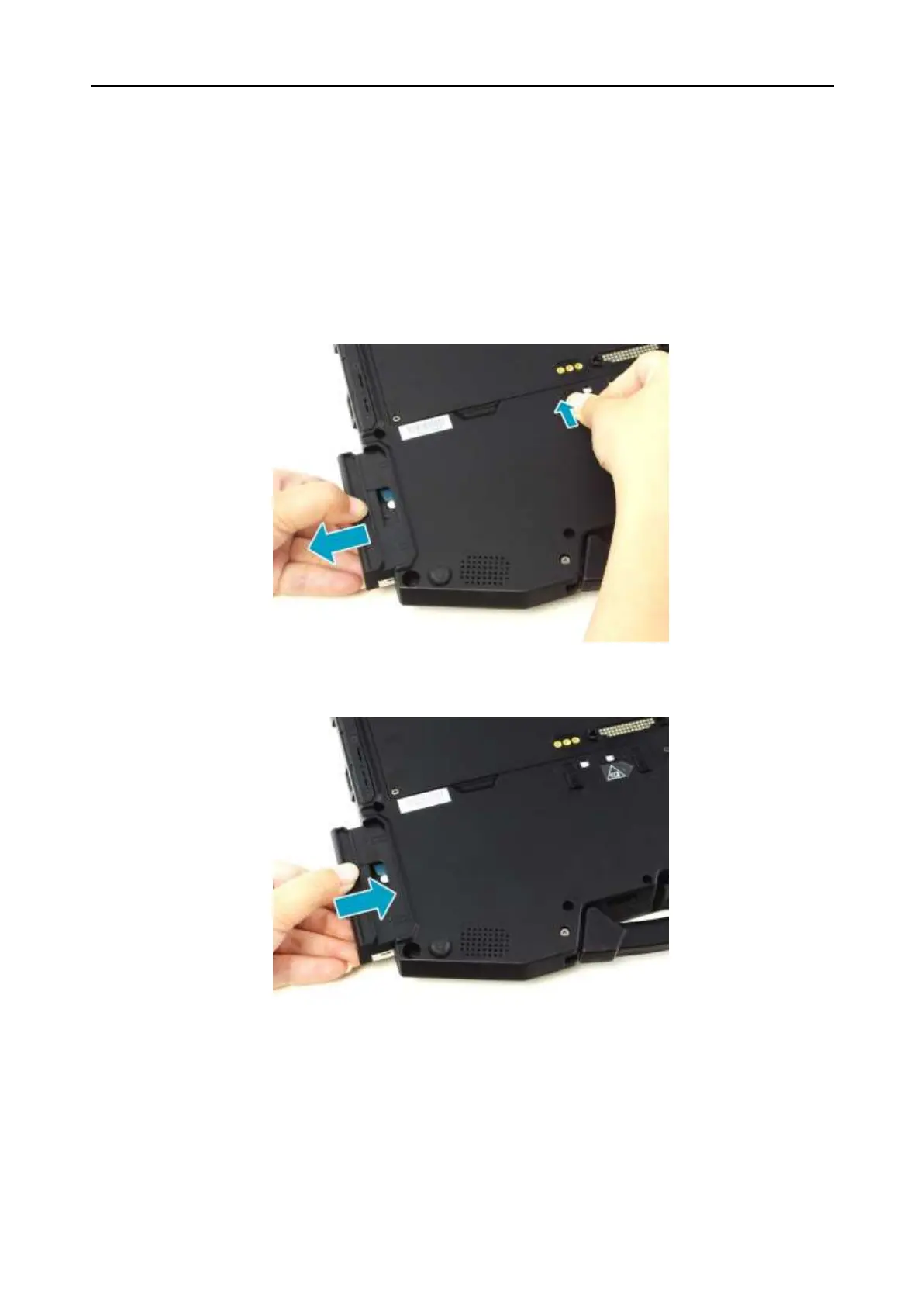
To replace the HDD, follow the steps below:
1. Slide the HDD latch release button upwards and hold it in place. Then pull
the HDD out to disengage it from its compartment.
2. Remove the HDD out of the HDD compartment.
3. Insert the new HDD into the HDD compartment. Then, push completely until
the HDD locks into place.


 To Next Page