Making Connections
EN-35
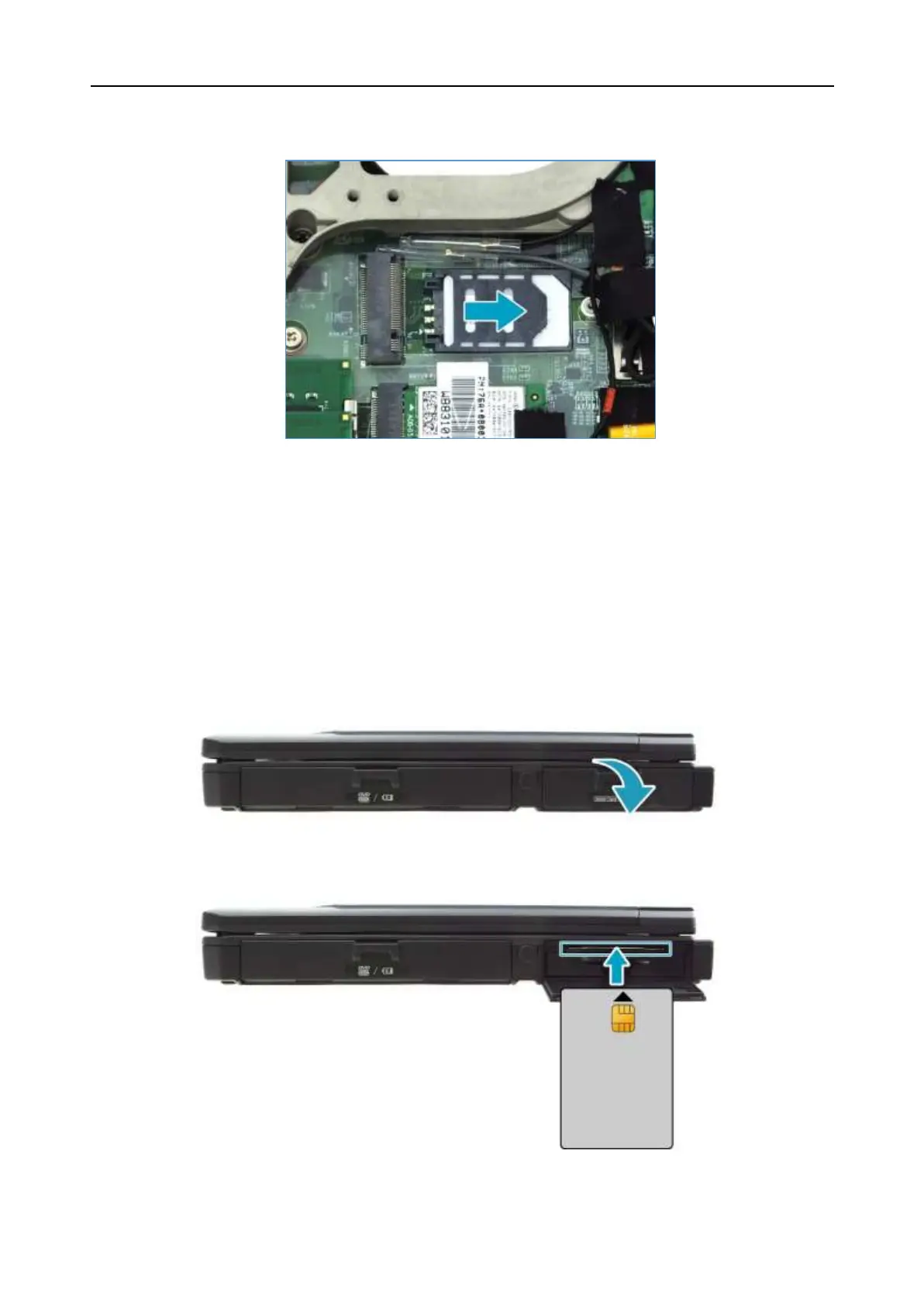
7. Push the SIM card slot as indicated with the arrow below until it locks into
place.
8. Replace the CTO door and secure it using the screws.
Installing a Smart Card
Your notebook is equipped with a built-in smart card reader that allows you to
make secure purchases, store security information, and provide identification and
information using a smart card.
1. Pull to open the battery compartment cover.
2. Insert a smart card into the smart card slot.
3. Close the battery compartment cover.


 To Next Page