57
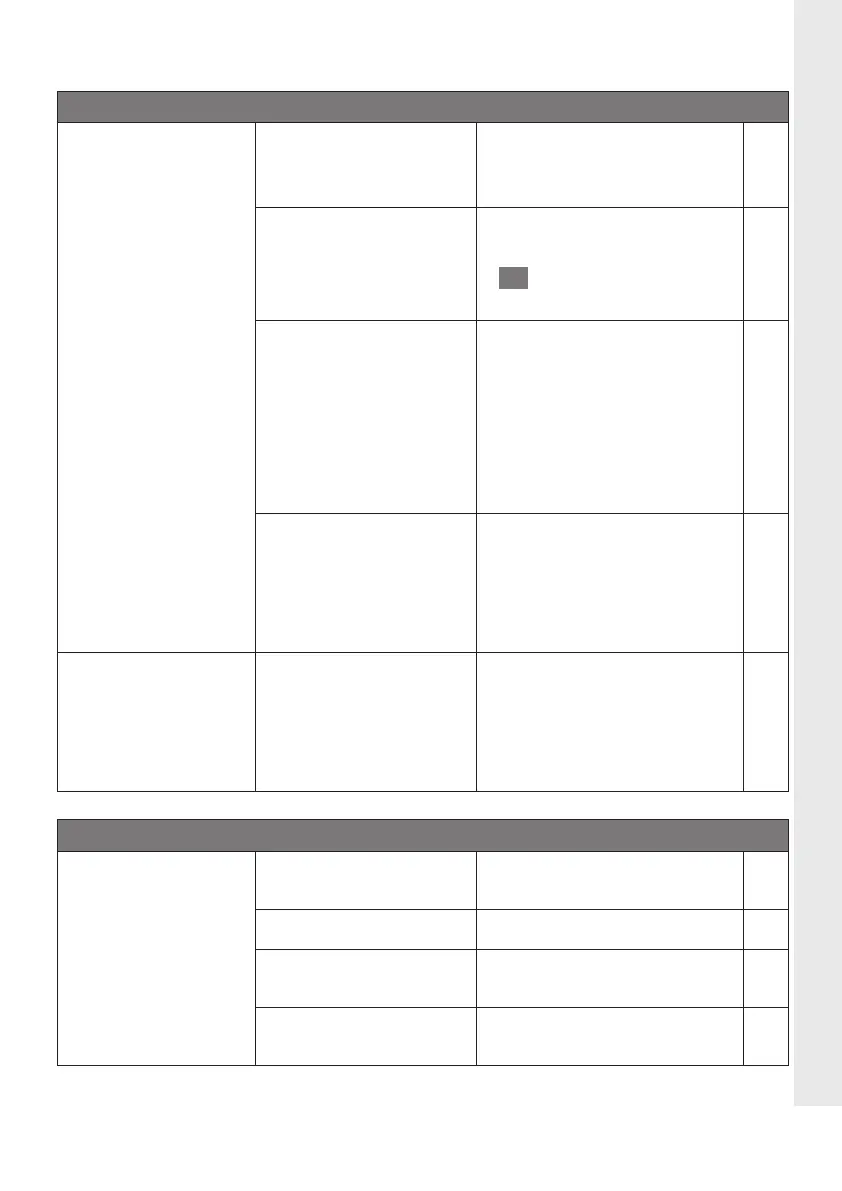
General function
SensoWash
®
is not
working.
SensoWash
®
is not swit-
ched on (Status display
is not illuminated).
> Switch on the main power
supply.
SensoWash
®
is in „Stand-
by mode“ (Status display
is red illuminated).
> Switch to „On mode“.
> Press the „Power“ button
I
to return to the „On
mode“.
7.1
RCD is switched off or
has tripped.
Reset the RCD.
> Dismantle left side panel.
> Test RCD according to the
instructions next to it.
> Confirm that the product is
working properly.
> Install left side panel.
RCD is switched off fre-
quently.
> Remove the connection to
the mains supply and stop
using the unit. Contact
Duravit customer service
hotline.
A water leak exists.
> Close the main valve for the
water supply.
> Disconnect the power
supply.
> Call the installer.
Remote control
The remote control
does not work.
No batteries are in-
serted.
> Insert batteries.
The batteries are flat. > Change the batteries.
The battery connections
are reversed.
> Insert the batteries the
correct way round.
The remote control is
defective.
> Contact your installer.
Problem Potential cause Solution Ch.
EN





 To Next Page