81
EN
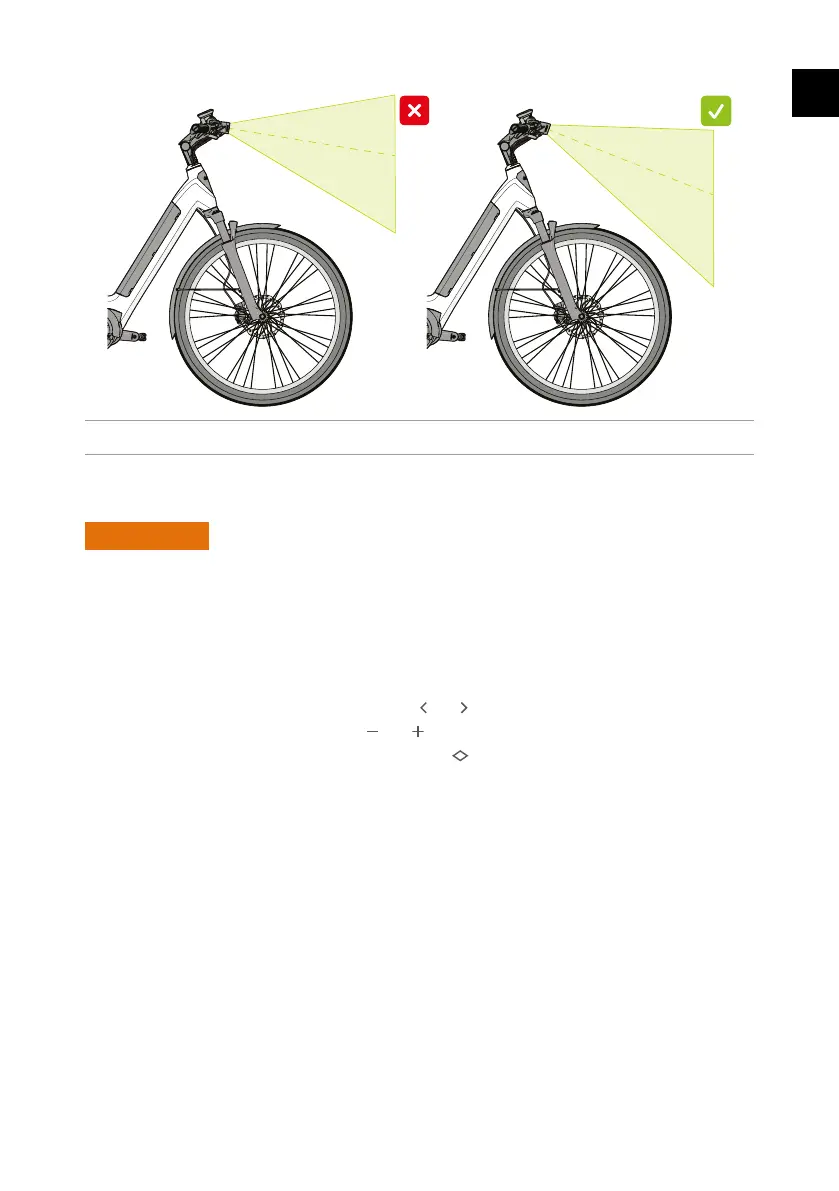
Figure 27 - Correct lighng angle.
4.9. Conguringtheon-boardcomputer
6
WARNING
Ҍ Onlyconguretheon-boardcomputerwhenyouarestaonaryinasafeplace.Keepyour
eyesontheroadandsurroundingsatallmeswhilecycling.
4.9.1. Generaloperaon
Operatetheon-boardcomputerusingthecontrolunitnexttotherighthandgriponthe
handlebars.
Ҍ Switch between the various screens with the and buons.
Ҍ Adjustthevaluesorsengswiththe and buons.
Ҍ Conrmachoiceoropentheselectedmenuwith .
1. Place the on-board computer 4intheholderbyfollowingtheinstruconsinchapter4.6.
Youcanchangethefollowingsengsinthe“System”screen:
Ҍ Language
Ҍ Speed unit
Ҍ Currentme
Ҍ 24-hour or 12-hour clock
Ҍ Screen brightness
4
Read more about the on-board computer in the Bosch manual at www.dutch-id.nl



 To Next Page