94
11. Possible problems/error messages that
may arise
11.1.Baery
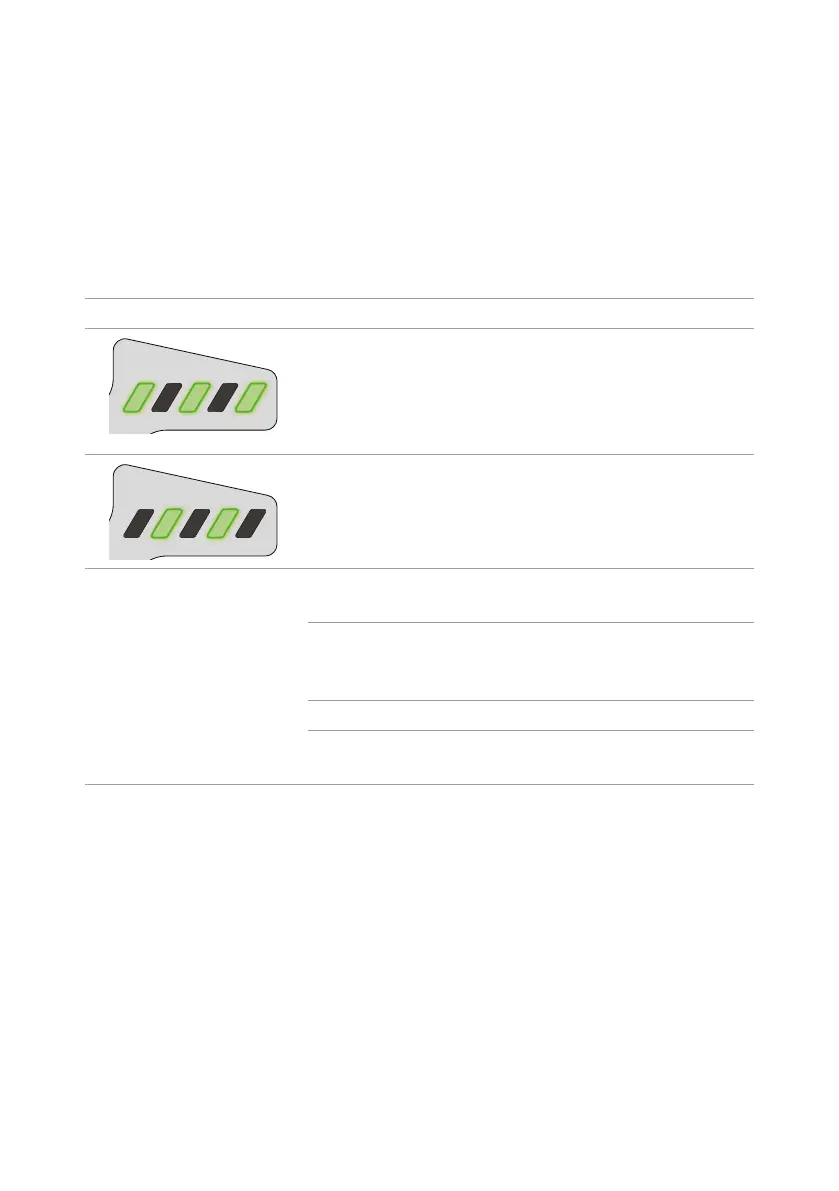
Thebaerykisprotectedagainstdeepdischarging,overcharging,overheangandshort
circuits.Inhazardoussituaons,thebaeryisautomacallydisengagedandanerrordisplayed.
Error message Possible cause Soluon
Thebaeryk is too warm or
too cold.
Disconnect the charger l
andallowthebaeryk and
charger to cool. Only resume
chargingonceboththebaery
and charger have cooled.
Thebaerykisdefecve. Contactaqualiede-bike
specialist to replace the
baery.
NoLEDslightwhilethebaery
k is connected to the charger
l.
At least one of the plugs is not
connected correctly.
Check all connectors.
Thebaerycontactsorports
are dirty.
Carefullycleanthebaeryport
andcontactswithaso,dry
cloth.
Thewallsocketisdefecve. Try another socket.
The cable or charger is
defecve.
ContactDutchIDoraqualied
e-bike specialist.
11.1.1. On-board computer
Theon-boardcomputerconnuouslychecksthatallpartsareworkingcorrectly.Ifafaultis
idened,anerrormessagewillbeshownonthedisplayoftheon-boardcomputerO.
Dependingontheerrormessage,thepowerunitmaybeautomacallyturnedo.Whenthis
happens,youcanconnuecyclingwithouttheassistfeature.Checkthemeaningandpossible
soluontotheerrormessagebeforethenexttrip.
To do so, visit www.dutch-id.nl and click on the manual for the Bosch parts or scan the QR code
on the inside of the cover of this manual.
Iftheon-boardcomputerdoesnotfunconcorrectlyandcannolongerbeoperated,resetthe
on-boardcomputerbypressingtheon/obuonontheon-boardcomputerforatleasteight



 To Next Page