84
5.5. Turning on the e-bike
1. Chargethebaeryksucientlyfortheplannedjourney,seechapter4.5.
2. Placethebaerykinthebaeryholder,seechapter4.3.
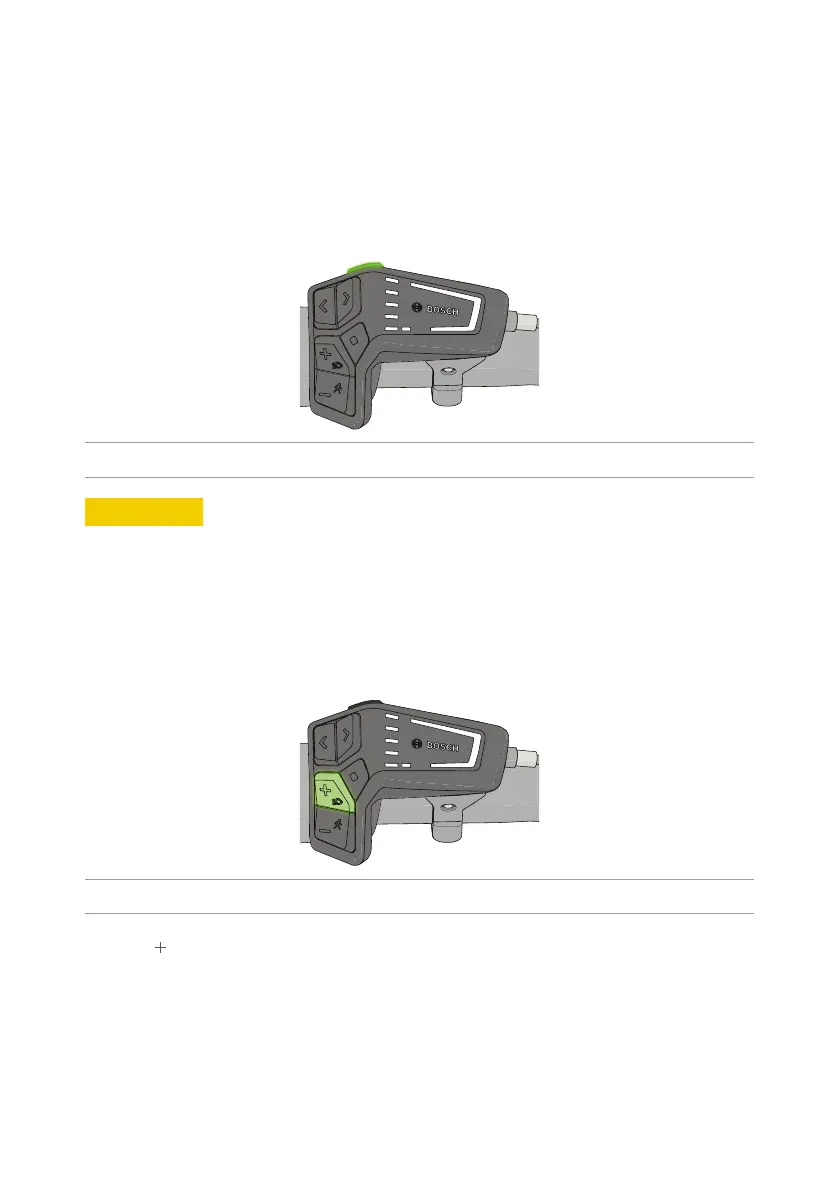
3. Place the on-board computer 4 in the holder (see chapter 4.6).
4. Presstheon/obuonontheon-boardcomputer.
Figure 28 - Press the on/o buon on the on-board computer.
6
CAUTION
Donotusesharporpointedobjectstopresstheon/obuon.
The e-bike is now turned on.
Presstheon/oswitchagaintoturnthee-bikeoagain.
4
The e-bike will automatically turn off to save energy after 10 minutes of inactivity.
5.6. Turningthelighngon/o
Figure 29 - Keep the ‘+’ buon depressed to switch the bicycle lighng on or o.
Keepthe‘
’buondepressedtoswitchthebicyclelighngonoro.
4
Once you have turned on the lighting, this will be indicated in the status bar at the top of the
display of the on-board computer.
4
The rear light i is fitted with a brake indicator that allows the rear light to burn more brightly
when you brake hard.



 To Next Page