Owner's Guide
19
Part: XXXXX Rev XX
Filling Up the Bath
In order to run a warm bath, push the bath fill
button and open the hot water tap of the bath.
When the bath has reached the volume set
on the controller, an alarm sounds and the hot
water supply will stop automatically.
Once the bath fill is complete, please close
the tap as the water heater cannot operate
until this is done.
Water Temperature
( )
( )
°C
:
The temperatures settings below are only examples. The
temperature setting necessary will depend on the usage,
the length of piping or seasons.
37 38 39 40 41 42 43 44 45 46 47 48
Warm Warmer Hot
* Initial factory setting: 40°C
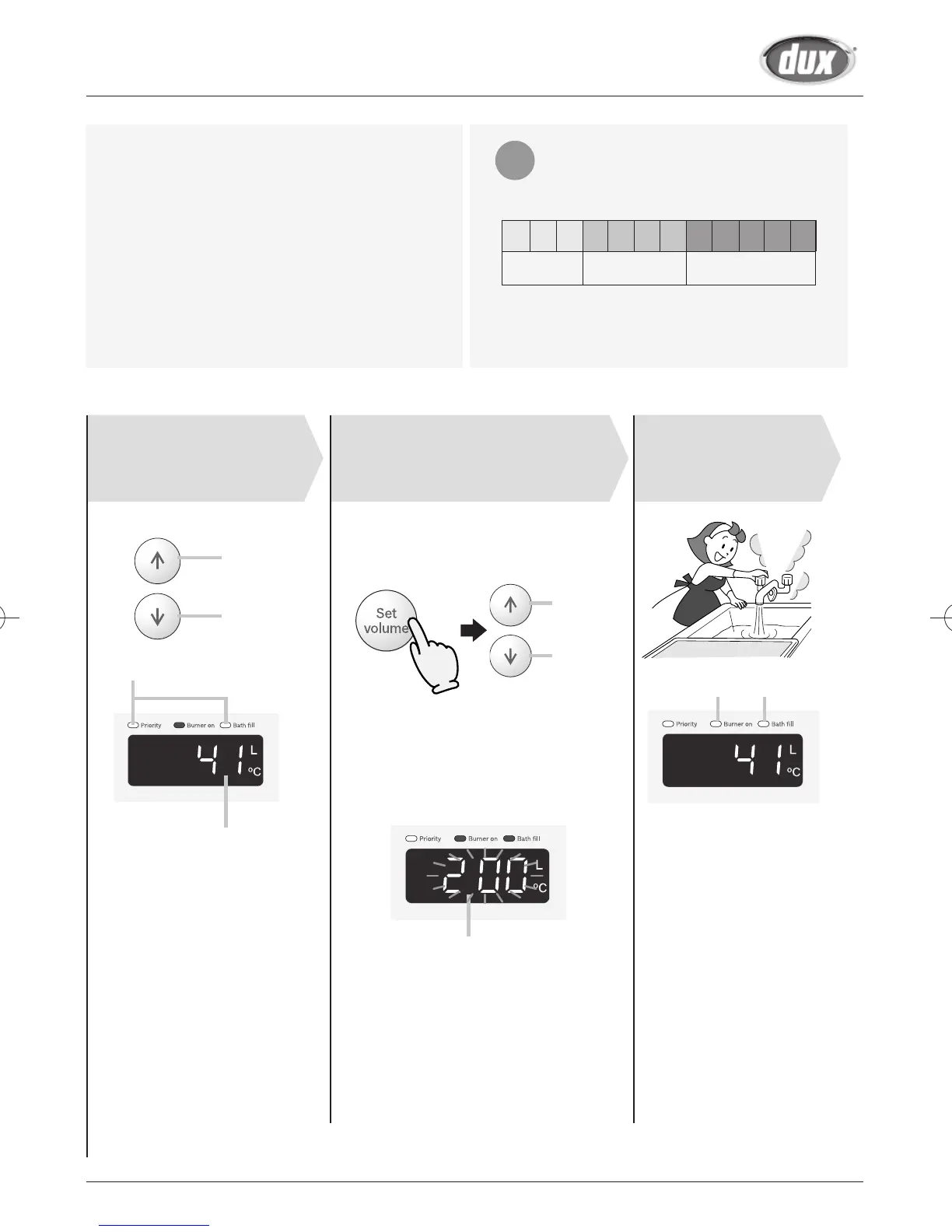
To set the Bath Fill Volume:
34 5
Set temperature.
Always check
temperature setting
before use
Adjust bath ll
volume setting.
Turn on hot
water.
Hot
Cold
Check the indicator lights.
Bath Fill temperature
Increase
Decrease
Press the Bath Fill button (the setting
will flash on the display) and adjust
with the setting buttons.
Choose the bath fill volume setting from the
following options: 40 - 80 (In 20 litre intervals),
120 - 200 (In 40 litre intervals), or 250 - 650
(In 50 litre intervals).
* Initial factory setting: 160 litre.
Bath fill volume setting will be flashing
(Eg. 200 litre).
* The level can only be adjusted while
the indicator is flashing.
* After 10 seconds, the remote
will again display the temperature.
* For Bathroom controller.
To alter the bath fill volume press the
priority button after the bath fill button.
On On


 To Next Page