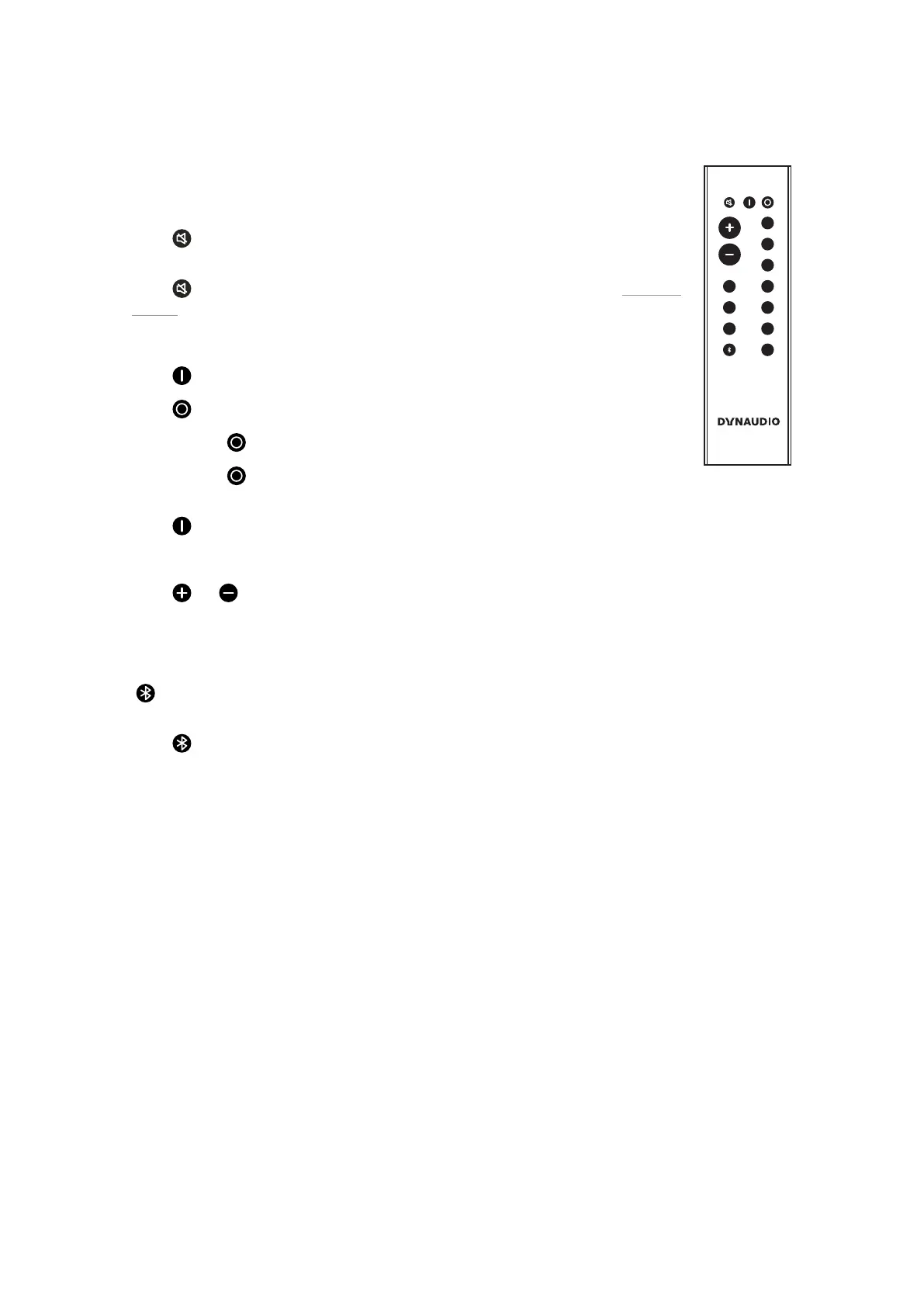
Remote Control
VOLUME
DIRECT
MUTE ON OFF
HUB
1
2
3
4
Line
Line
Opt
Opt
Aux
Coax
USB
A
B
C
Commands will always apply to both of the speakers.
MUTE
Muting the speakers
▪ Press to mute or unmute the speakers.
Fixing the volume
▪ Press for at least 2 seconds to set a high volume for the speakers (see section “Fixing the
volume”).
ON/OFF
Speaker On/O
▪ Press to switch on the speakers.
▪ Press for standby mode.
▪ Press and hold until LED turns red to put speaker in sleep mode.
▪ Press and hold for 5-9 seconds to enter night mode (Turns the LEDs o).
Reset
▪ Press for at least 5 seconds to reset the speakers to the factory settings.
VOLUME
Volume Control
▪ Press or to raise or lower the volume level.
INPUT
Signal Source
▪ Press a button to select the respective signal source.
▪ selects a Bluetooth device or Hub/Connect.
Bluetooth Pairing
▪ Press for at least 5 seconds to enter pairing mode.
Connections and Control Elements 13



 To Next Page