From lab to production,
providing a window into the process
-14-
www.dynisco.com
Rev: n/aP/N: n/a ECO: n/a
Alarm Indicaon
The Acve Alarm Status screen indicates any acve alarms. In addion, the associated
Alarm LED ashes. For latching alarm outputs, the LED ashes when the alarm
condion exists, and goes to ON when the alarm condion is no longer present if the
output has not yet been reset.
*Reseng Latched Alarm Outputs
Any latched outputs can be reset whilst the Process variable or Alarm Status screens
are displayed, by pressing the or key, via the Logic Input.
NOTE: A reset will aect ALL latched outputs, but outputs will only reset if
their alarm condion is no longer present.
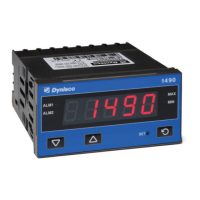
Addional Indicator Units Display and LEDs
In Operator Mode, a Units display shows °C or °F when temperature values are shown. This display
is also used in other modes as a conrmaon of the parameter type currently shown in the main
display. The SET LED indicator is o in Operator Mode, Flashing in Conguraon Mode and ON in
Set-up mode. MIN and MAX LED’s light when these stored values are shown.
Mul-Point Scaling
When enabled (MPS = EnAb), up to 9 breakpoints
can be set to compensate for non-linear input
signals. For each breakpoint, the input scale value
(ScAn) is entered in % of input span, followed by
the value to be shown (diSn) in display units.
Each breakpoint’s input scale value must be higher
than the previous value, but the display values can
be higher or lower. Any scale value set to 100%
becomes the last in the series.
Tare Feature
When Tare is enabled (tArE = EnAb), it can be used to set the displayed value to zero automacally,
by making the PV Oset parameter equal, but opposite to, the current process variable value. Tare
can be iniated via the Logic Input, or by using the following key press sequence:
Press unl the process variable is displayed.
Hold down and together for three seconds unl the display shows YES?



 To Next Page