From lab to production,
providing a window into the process
-13-
www.dynisco.com
Rev: n/aP/N: n/a ECO: n/a
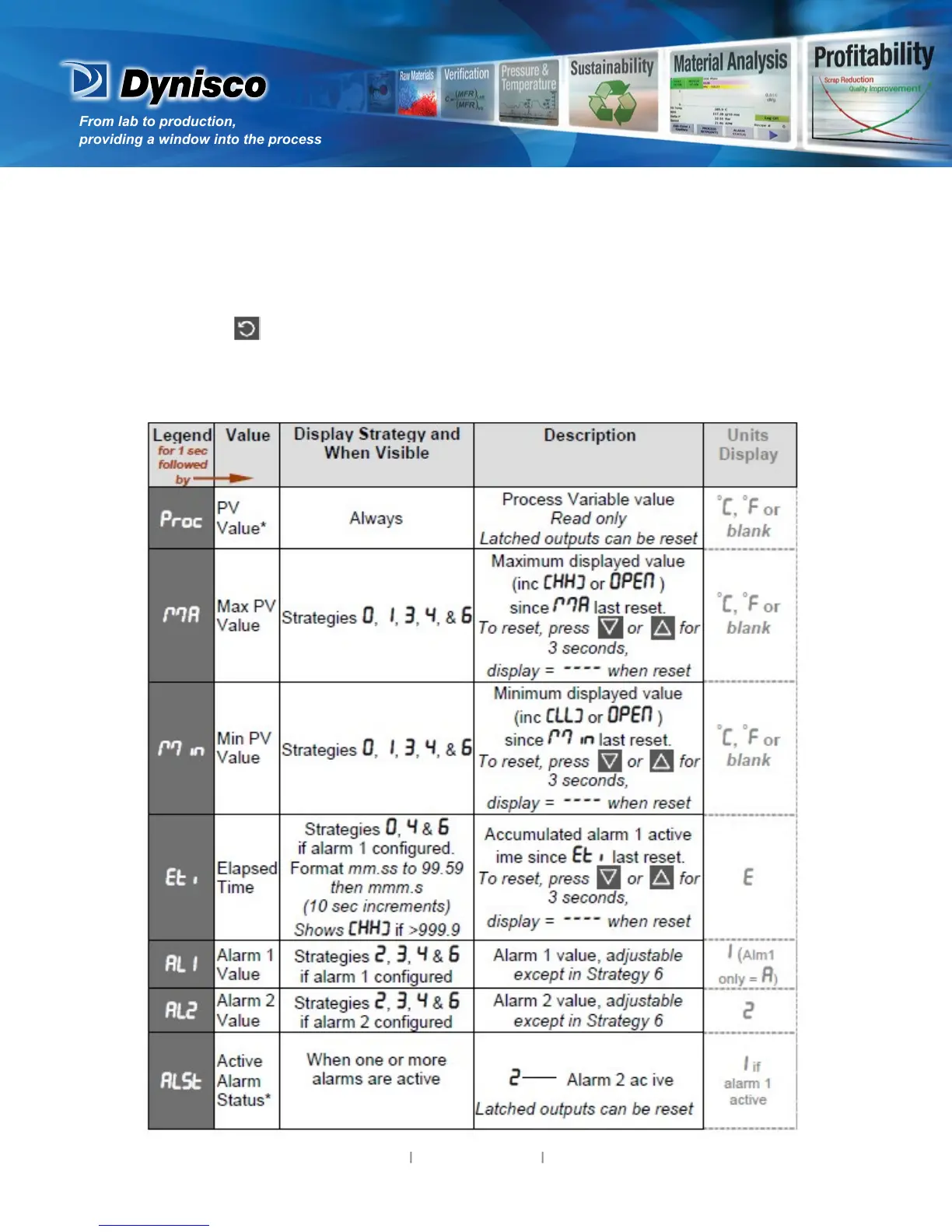
7. Operator Mode
This mode is entered at power on, or accessed from Select mode (see secon 2). Note: All
Conguraon mode and Setup mode parameters must be set as required before starng normal
operaons. Press to scroll through the parameters (while this key is pressed, and for 1 sec
aer, the parameter legend is shown, followed by the current value). Note: All Operator Mode
parameters in Display strategy 6 are read only (see diSP in conguraon mode), they can only be
adjusted via Setup mode.



 To Next Page