127
K000000000EJ 023826A0 100714
6
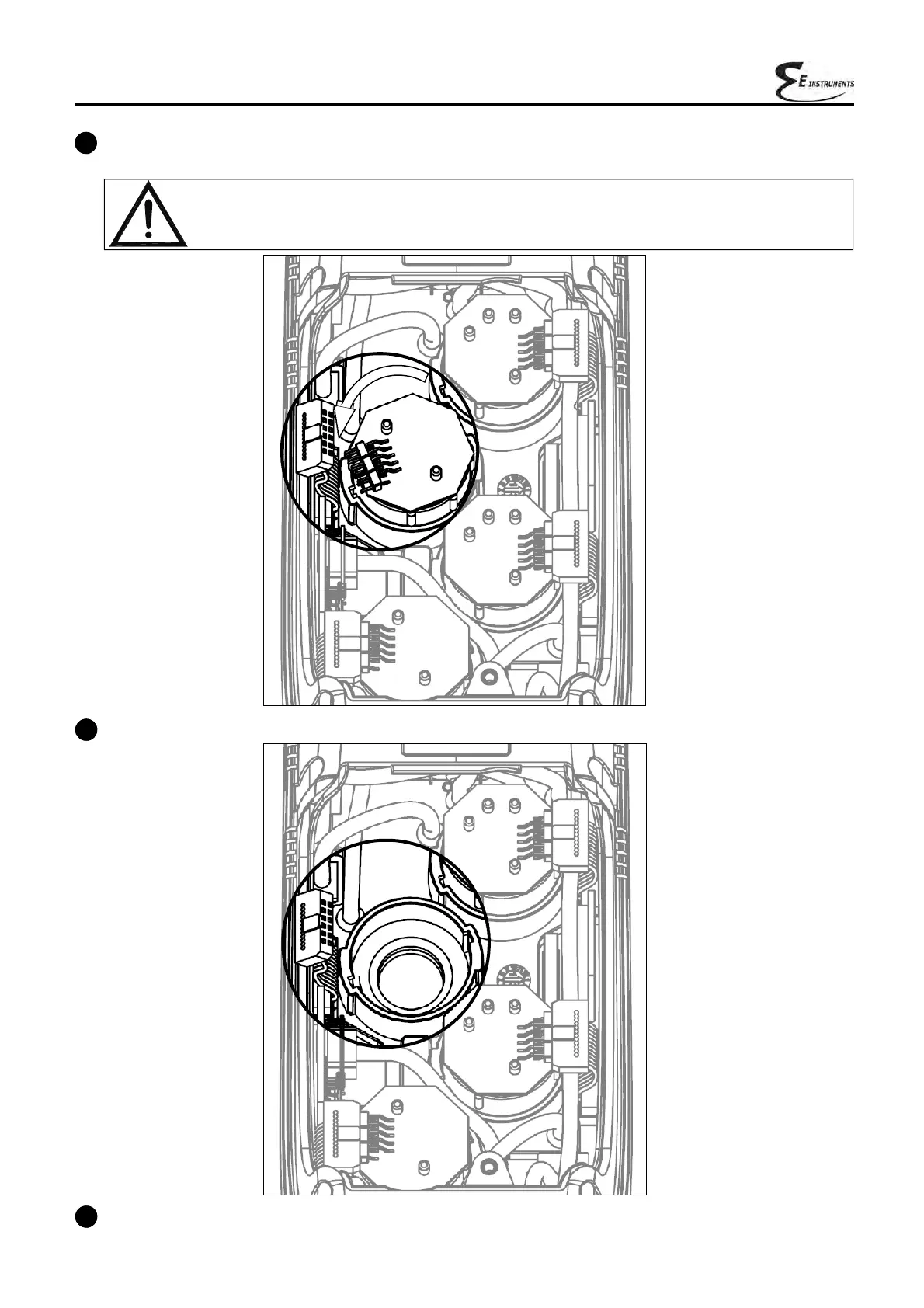
After rotating the sensor, pull it upward; here is an example of the sensor compartment with a sensor removed.
7
Fit the sensor again taking care the electric connection is turned outside the instrument, not inside
(See point 5).
5
The sensor is bayonet-connected to its socket; rotate it counter-clockwise to remove it. Here is an example of
a rotated sensor.
While rotating the sensor, take care not to exert any pressure onto the printed circuit
above: exert pressure only onto the plastic body.



 To Next Page