6
8
201918171615
ON / OFF OF THE DEVICE
1
On / off switch.
AREAS OF SAFETY ICONS
2
Take care not to splash the device with water, use near
water or immerse in water. Projection of water on any part of
the device is strictly prohibited.
3
must not be used in certain physiological or med-
icated contexts (pregnant women, photosensitive drugs...).
4
Reading this instruction manual before using is
mandatory.
5
Wearing the safety glasses ( ) is mandatory.
HOW TO PROGRAMME A HAIR REMOVAL SESSION
6
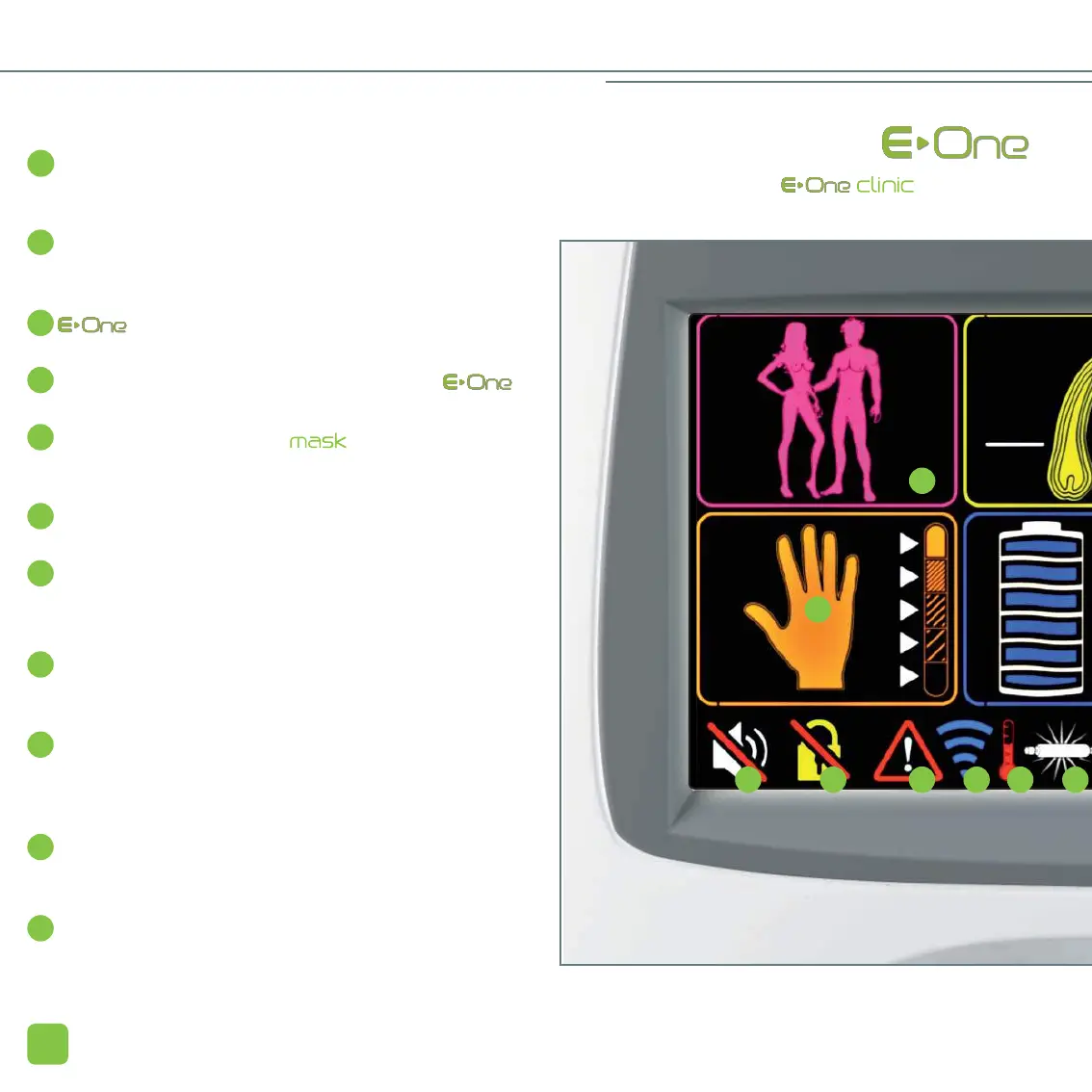
Silhouette of man / woman. This area allows you to
choose
between “woman” and “man.”
7
Thickness of the hair. This area allows you to select the
thickness of the hair, from the thinnest (bottom) to the thick-
est (top).
8
Skin colour.
This area allows you to select the colour of the skin, from the
lightest (bottom) to the darkest (top).
9
Level of intensity.
The gauge represents the 6 levels of intensity of the issued
flash. The arrows adjacent to this gauge enable you to
increase or decrease the level of intensity.
10
Pause. This icon is displayed on the touch screen through-
out the duration of the hair removal session. Pressing on it
allows you to put the device in pause mode.
11
Play. Enables you to cancel the pause mode and to resume
the hair removal session.
14
INFORMATION PROVID
THE BASE OF THE IS
For Access version, the


 To Next Page