33
The filter must never be separated from its
cartridge.
CARTRIDGE
STEP 3
• Turn off the device.
• Unplug the power cord from the device.
STEP 4
EXTRACTING THE CARTRIDGE (The video is
available on your personal client page).
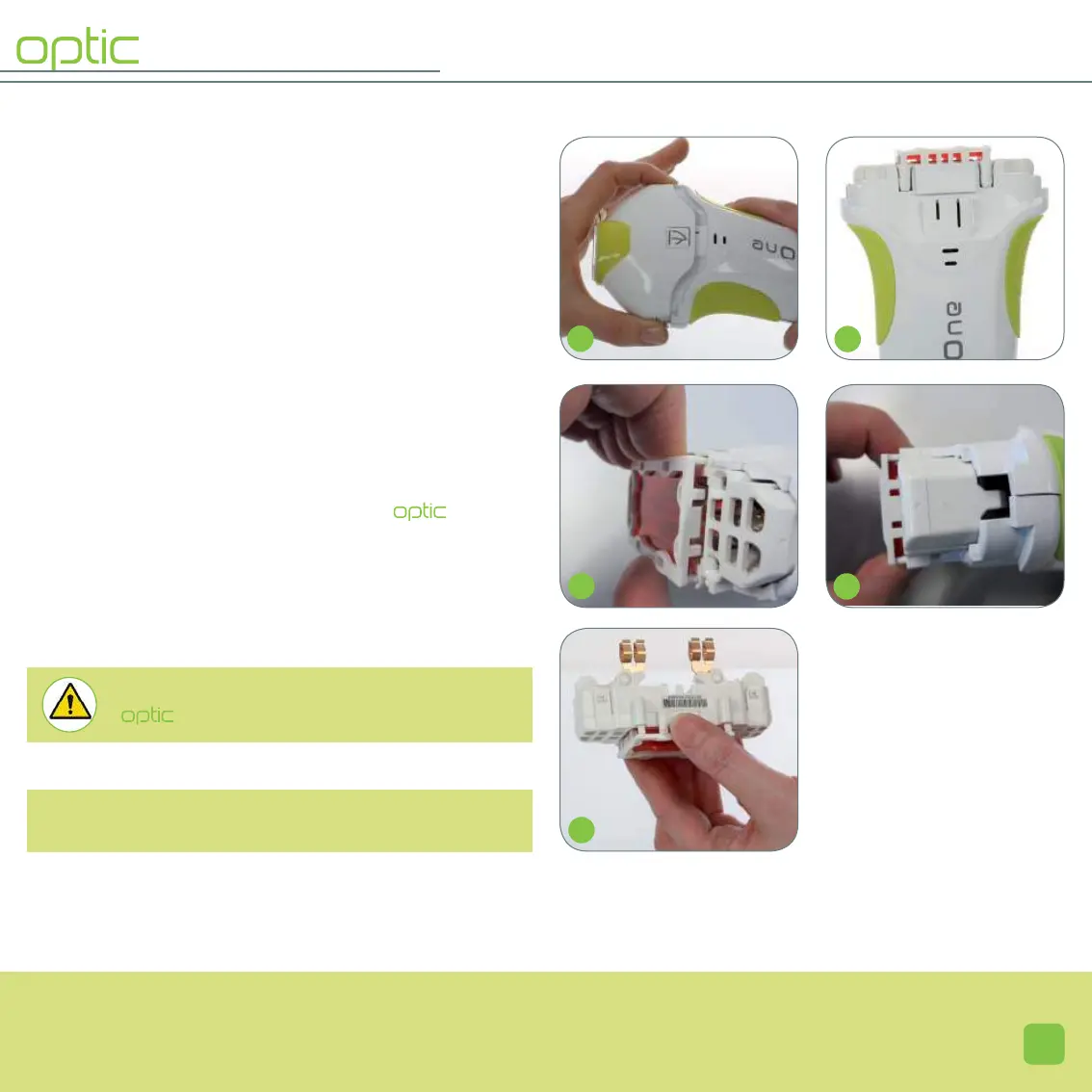
• Take the applicator and press simultaneously on the 2 loc-
king tabs of the mobile head (23), and remove it.
• Once the mobile head is removed, the cartridge
with filter presents itself in the applicator (24).
• Remove the cartridge from the applicator: strongly pinch
the filter support (25) and pull (26). The optic cartridge
with filter now appears (27); it is imperative to only hold
the plastic parts.
23
24
S
25
26
27
The explanation of the different parts of the applicator
can be found on page 13.
S
S
S


 To Next Page