7 4 5
2 3
12
14
13
119
10
22 121
15
ED BY TOUCH SCREEN__
EQUIPPED WITH A TOUCH SCREEN
screen is monochrome (without any color)
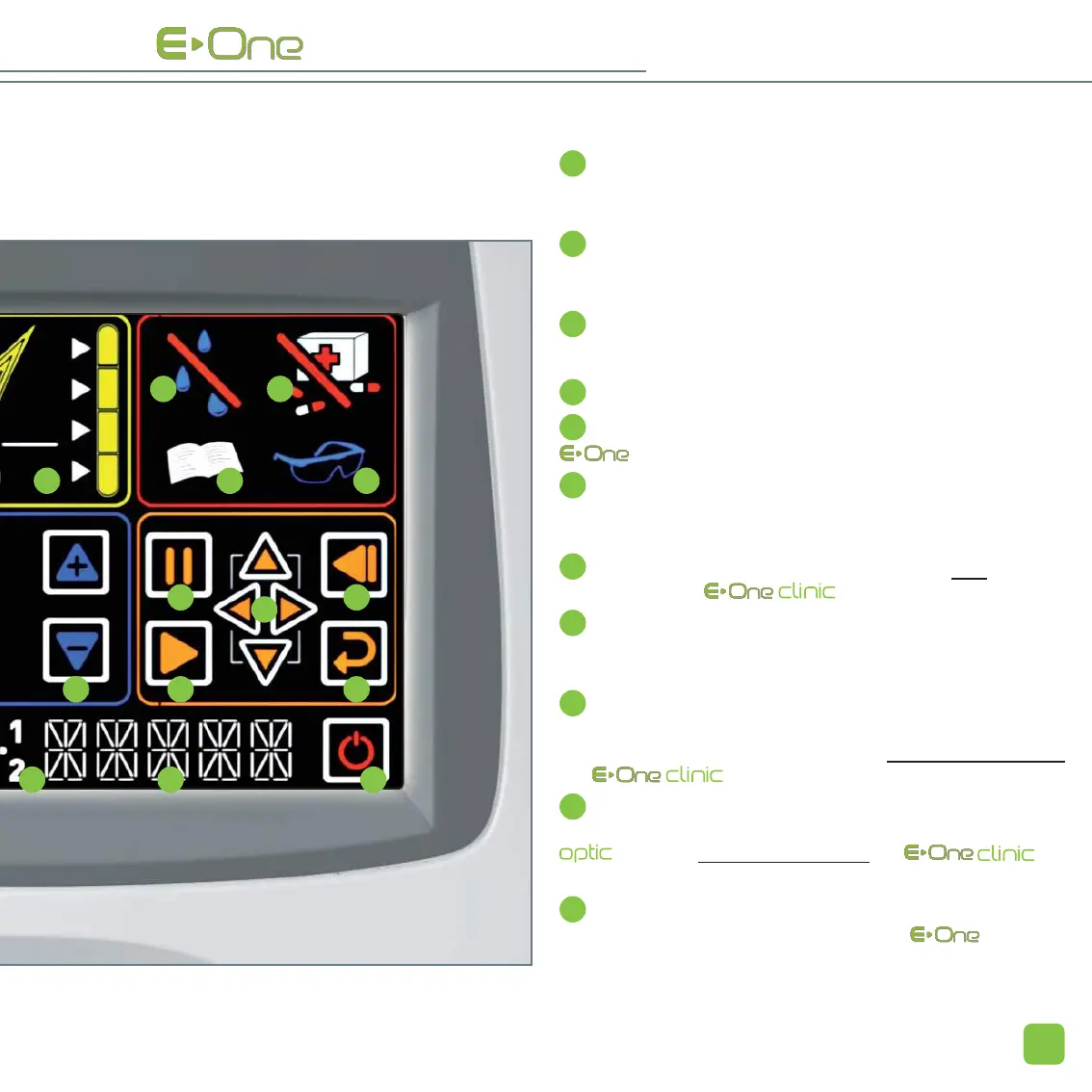
BROWSING AREA
12
These buttons enables you to move from one character to
another (22), and to increase or decrease the digits of each
character.
13
Go back to the previous menu. This icon enables you to
modify any selection made previously. It is available only when
icons 16 and 20 have been selected.
14
Validation of input data (
22
).
INFORMATION IN REAL TIME
15
Volume activation / deactivation.
16
Lock / unlock. This icon enables you to secure your
with a PIN code.
17
Warning. A number is displayed on the touch screen when
this icon is active; it corresponds to an error message (see
page 52.)
18
Detection of the activation card (this icon is only
visible in case of RC and RC Multi).
19
Temperature of the applicator. This icon is not active dur-
ing normal functioning of the device. If it blinks, please refer
to the corresponding error message (page 52).
20
Cartridge tube. When it blinks, it means that you can issue
a flash. Clicking on this icon enables you to enter the 2 succes-
sive activation codes of a new cartridge (this does not concern
the RC and RC Multi).
21
Numbers 1 and 2 correspond to the 2 successive
activations codes that need to be entered when changing
the
cartridge (
this does not concern the
RC
and RC Multi).
22
All these characters enables you to enter the cartridge
activation codes, the secure PIN code of , and also
to display the remaining number of flashes at any moment.


 To Next Page