__CHANGING THE
36
STEP 8
SPECIAL CASE OF THE
RC and RC MULTI
There is no need to enter any code when you change the cartridge.
• When the number of flashes expires:
- You must order an cartridge (delivered with its activation card).
- You must send send us back your used cartridge and your old activation card (this is free of charge thanks to return vou-
cher available in the package containing your new cartridge and its activation card).
The warranty does not cover improper handling. We therefore recommend you to be very attentive to the procedure to
follow.
SPECIAL CASE OF THE
access and sc
In this case, it is compulsory to enter new activation codes every time you change the cartridge.
• Plug in your device. The screen is black.
• Touch anywhere on the screen.
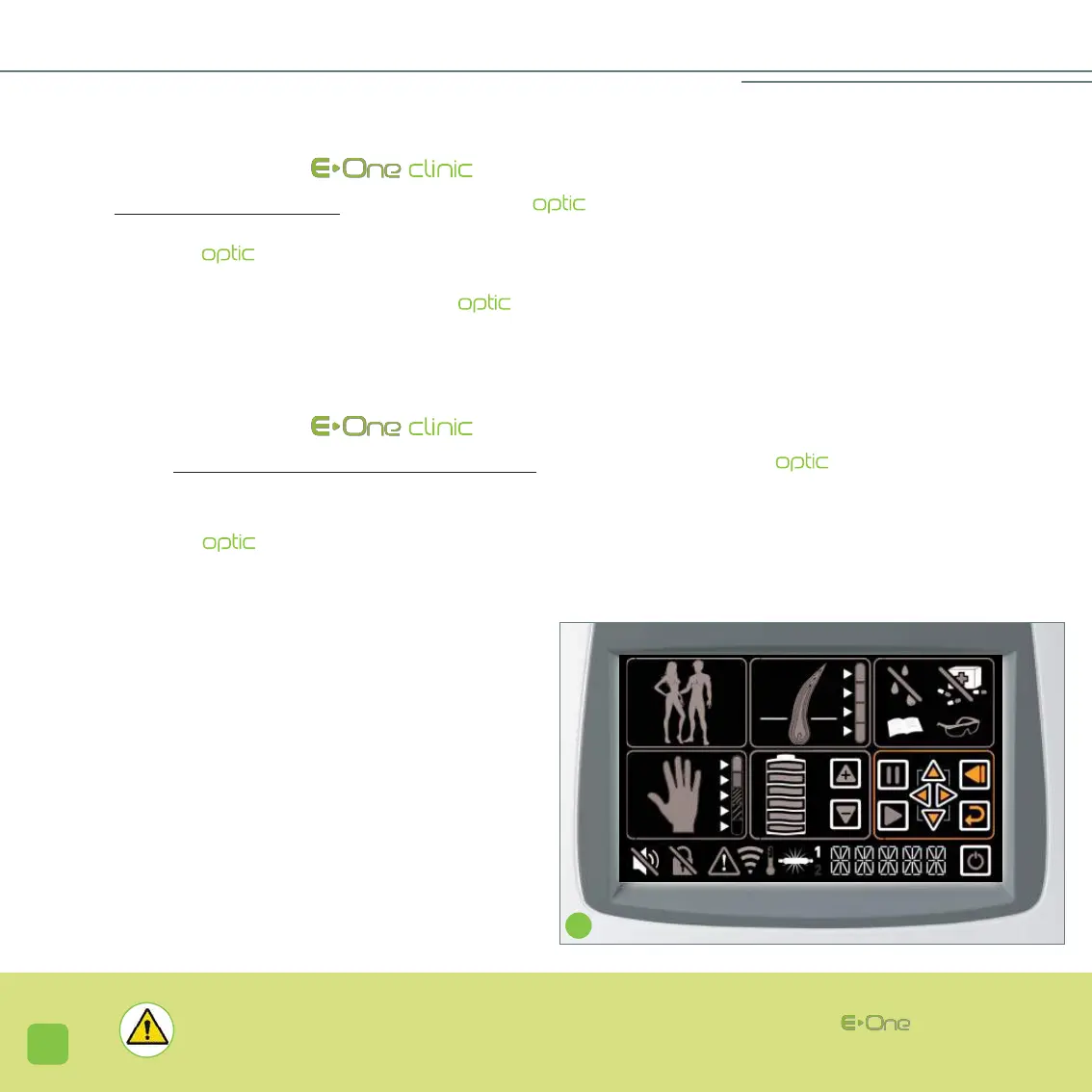
When changing the , cartridge, once the new cartridge is inserted, you must press on the icon representing the
lamp (20). Figures 1 and 2 (21) correspond to the 2 successive activation codes that need to be entered to activate the new
cartridge.
- The number 1 appears (screen K). With the help of the
navigation icons (12), enter the first 5 digits code provided.
This enables you to change the digit in each box and to
move from one section to another. Once the entire code is
entered, you must validate with the icon (14).
- The number 2 appears (screen L ). With the help of the
navigation icons (12), in the same way as above, enter the
second 5 digits code and validate (icon 14).
- Switch the unit off and switch it back on.
K
WARNING: It is strictly prohibited to make any modification of any kind to your .


 To Next Page