EC5000
- 52 - - 53 -
Description of Functional Parameter
5
EC5000
Description of Functional Parameter
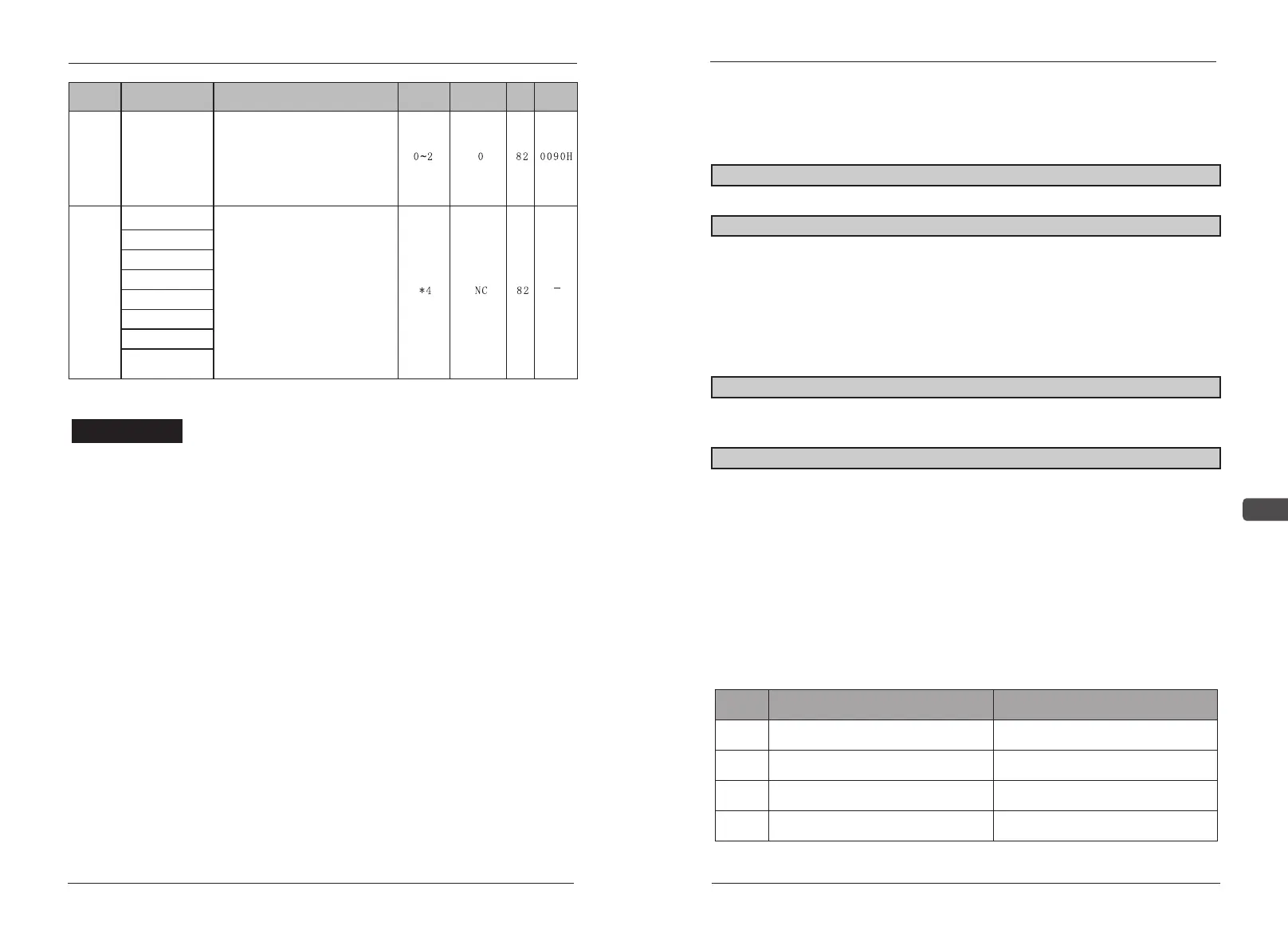
Function
Parameters
Name
Description
Setting
range
Default
Page
Address
F23 Wire
selection
disconnect S1 is stop. S2 rise along
the pulse switch and reversing.
Three wires mode: S1 rising along
the trigger, disconnect S2 is stop, S3
level switch and reversing.
Note: Single wire mode: B01>1
Second wires mode:B01=0 Three
wires mode:B01=1
Auxiliary
function
G01 Fault history1
Only LED manipulator has this
functional code. G05-G08 can
display the last fault data for the last
working time, include ED Cout put
voltage output current output
frequency(Only record the following
fault:SCUu1OCOU).
Fault
history
G02 Fault history2
G03 Fault history3
G04 Fault history4
G05 Fault EDC
G06 Fault Voltage
G05 Fault Current
G06 Fault
Frequency
Notice!
NC means that no fault record.
*1:On condition of 400V, 2 times of voltage up limit and factory value.
*2:Motor rated current output is 10%-200% of AC drive rated current.
*3:Factory value changes according to AC drive capacity.
*4:Data for reading only.
5.2 Detailed Description of Functional
Parameters
A00 Macro setting limit: 0~255 factory default:0
Special industry application
A01 Data select setting limit: 0~7 factory default:0
0: changeable data
1: fixed data (user’s data is ok, it can be protected without change)
2-6: reserve
7:initialization setting (change to factory defaults) If operator adjust
the data with mistake, just change data to press ENTER key to initialise
all the data, then reset.
A02 Control mode sel setting limit:0~1 factory default:1
0: V/F control, when a AC drive drags other AC drives.
1: general no melt current control can improve power.
A03 Operate mode sel setting limit:0~8 factory default:3
There are two ways(LOCAL and REMOTE) to operate EC5000.They
can be selected by combined key“RESET+STOP”only after AC drive
stops running. The elected operating way will be display on the control
panel LCD. AC drive is preset to be REMOTE in factory (Through control
terminal FV and FI frequency). Multi-function joint input through control
terminal S3-S8 is suitable both with LOCAL and REMOTE control.
LOC: frequency and running order is set by operation panel.
REM:select the main frequency and running order according to the
following sheet.
setting
Select running order Select frequency order
From control panel
From control circuit terminal
From control panel
From control circuit terminal
From control panel
From control panel
From terminal FV&FI
From terminal FV&FI
0
1
2
3


 To Next Page